 Photo: Mikhail Nilov / Pexels
Case Study
Digital Invoice Management with Jira
Scan paper invoices, type up a Jira ticket, track down the right person: XALT digitized its own invoice process – a scanner, a script and a Jira board now handle it alone.
The Starting Situation
The Process Before Implementation
Receiving paper documents and scanning the document
Creating a Jira ticket
Adding a description, title, scanned files, and assigning a person in charge
Starting to process the document
Filing the document
Closing the ticket
The Challenge
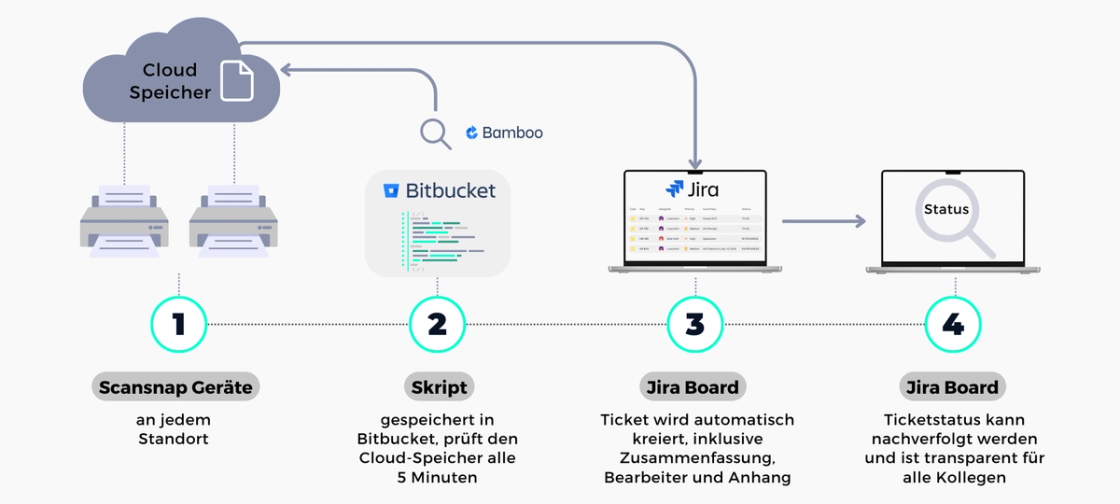
Automatic/Digital Invoice Management Process
Implementation & Approach
We tackled these challenges by implementing a robust solution that digitized the manual process and automated it as far as possible. For that, we needed three things: a scanner with internet or cloud connectivity, a cloud storage service (e.g. Google Drive, Microsoft OneDrive or Dropbox), and Jira as the process digitization solution.
Implementing the New Solution
A scanner was set up in every office, connected to our cloud storage to deposit scanned documents there. A script, kept in our source code repository Bitbucket, runs automatically every 5 minutes to check our cloud storage for new files. When a new file is found, a Jira ticket is automatically created, containing a document summary (title) and the scanned file. The responsible person is automatically assigned to the ticket and receives a notification. The entire processing workflow for the document is tracked in Jira, keeping everything transparent and traceable.
To ensure a smooth rollout, XALT communicated the implementation plan and its benefits to all employees involved, including the accounting and legal departments.
Training sessions were also held to familiarize our employees with the new system, backed by ongoing support to resolve any issues that came up.
The New Process
Installing a cloud-connected scanner in every office
Script checks the cloud storage for new files every 5 minutes
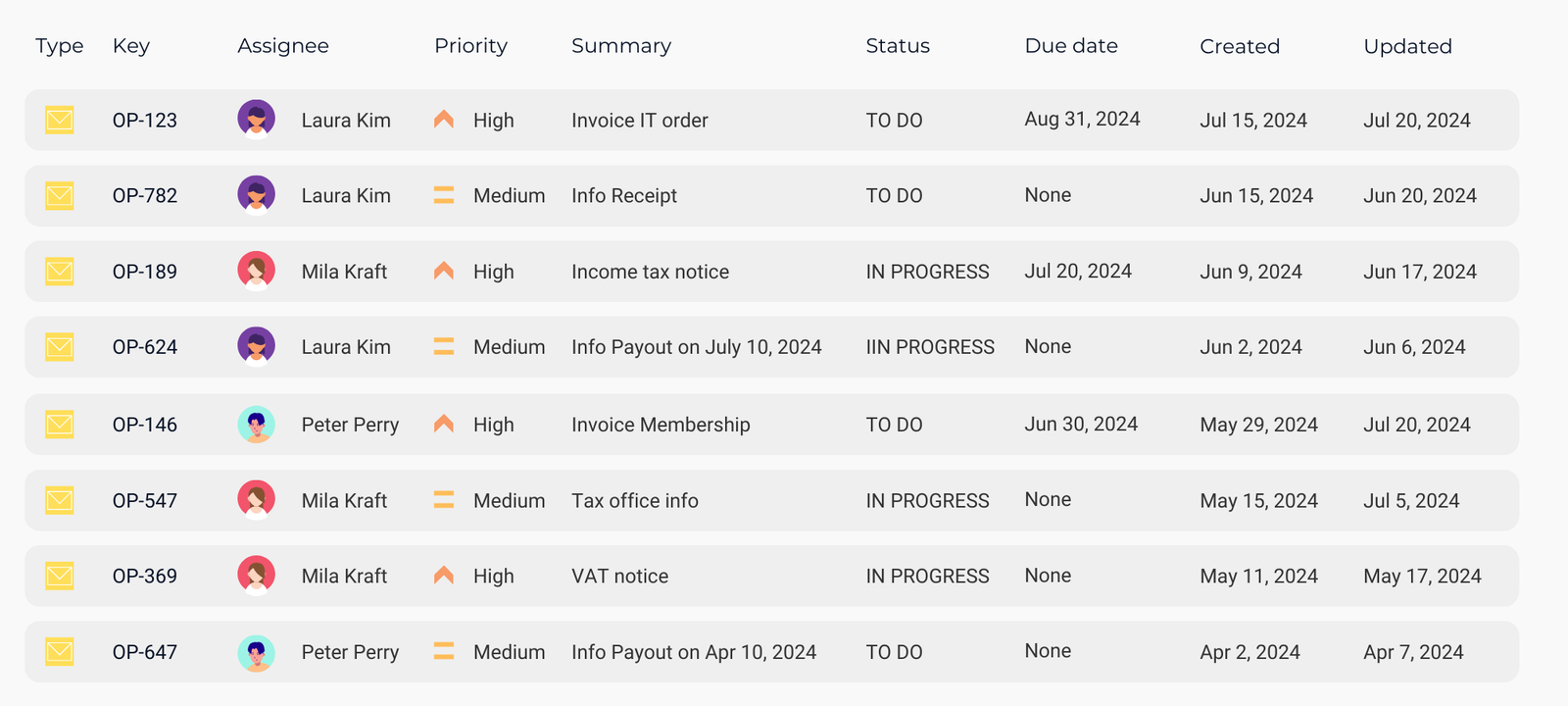
Automatic creation of a Jira ticket when a new file is found
Ticket contains summary and file
Assigning the ticket to a person
Process tracking in Jira to ensure transparency and traceability
Process Digitization with Jira
Maximize your teams' efficiency by digitizing and automating your business processes.
Results
better call XALT
Digital Business Processes and Automated Workflows for More Performance and Efficiency
Digitize your business processes with Jira and digitally involve your employees, customers, service providers and partners – for seamless collaboration.