Our Comprehensive Solution for Automated Testing of Apps and Software
To deliver a high-quality software product, it must be tested constantly. This allows you to respond quickly to any errors that occur. Due to the high workload involved in manual testing, many teams choose to use an automated solution. A fully integrated automated testing solution helps your development teams develop, test, and release faster.

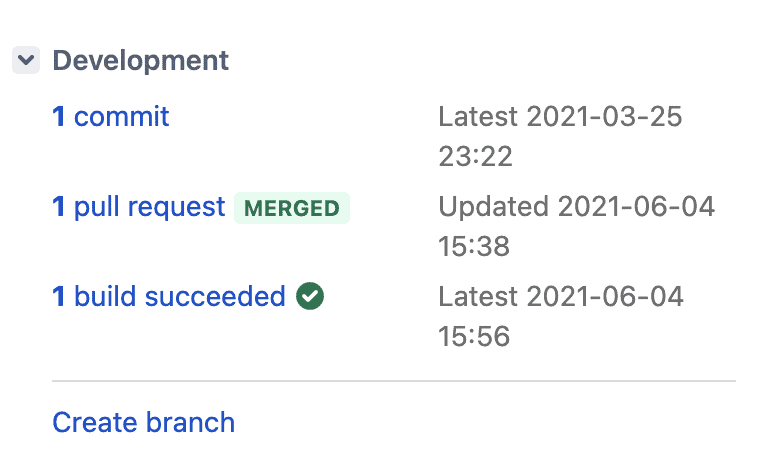
Automated Tests Within Your Development Process for Instant Feedback
- Jira: Track the activity, status, and success of build plans.
- Bitbucket: Store and manage source code.
- Your CI pipeline: Starts the tests on every build. Which server that is does not matter to the solution—Bitbucket Pipelines, Jenkins, GitLab CI, or another one.
- XRAY for Jira: View and present your test execution results with illustrations.
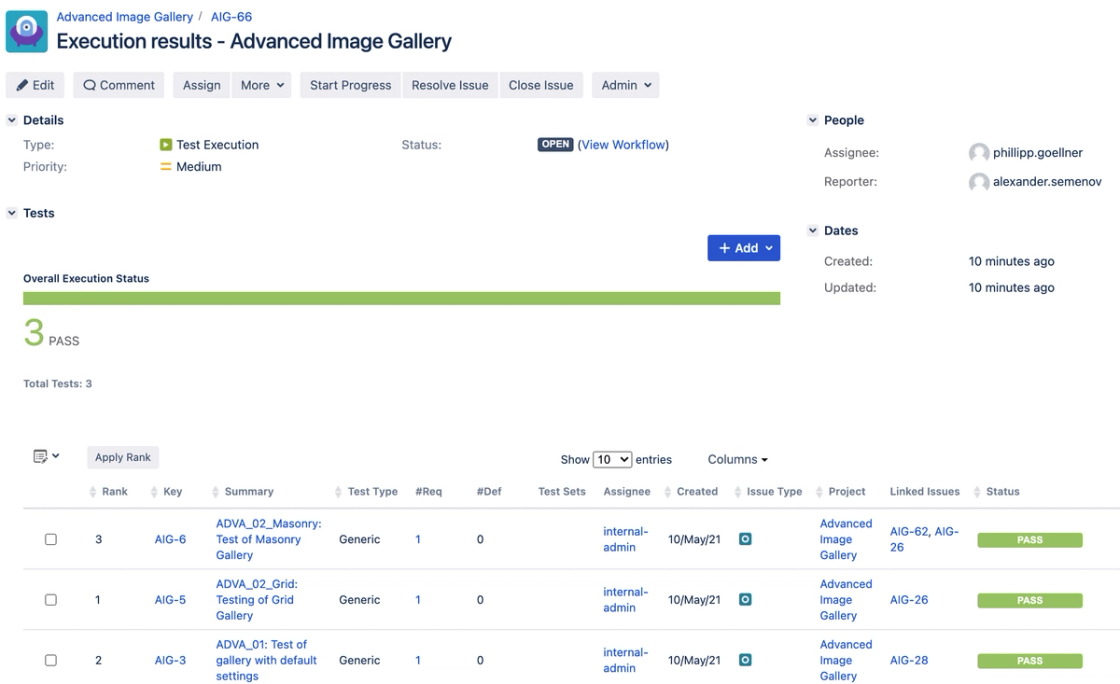
Extending Jira with XRAY
- Based on Jira, fits perfectly with Atlassian tools.
- Offers the implementation of a complete test lifecycle including planning, development, execution, and reporting.
- Developers can plan, control, customize, analyze, and present automation tests for agile quality assurance.
- Audit-proof export of test documentation for your legal requirements.
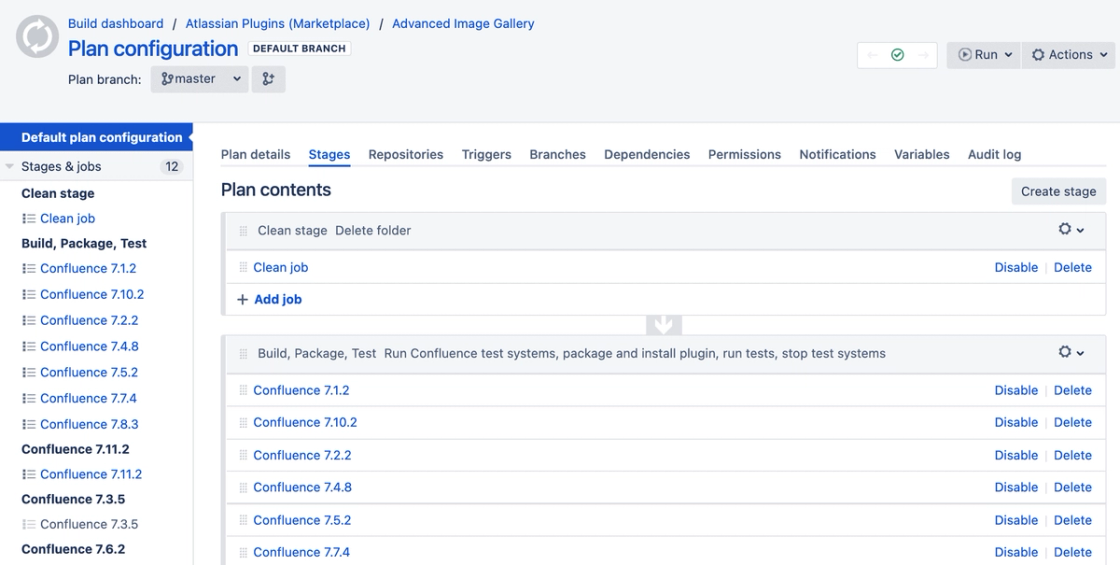
Feature Overview
Integration into the CI Pipeline
- Display the status and activity of test executions from Jira.
- Various pipeline configurations are possible.
- Developers can plan, control, customize, evaluate, and present automation tests for agile quality assurance.
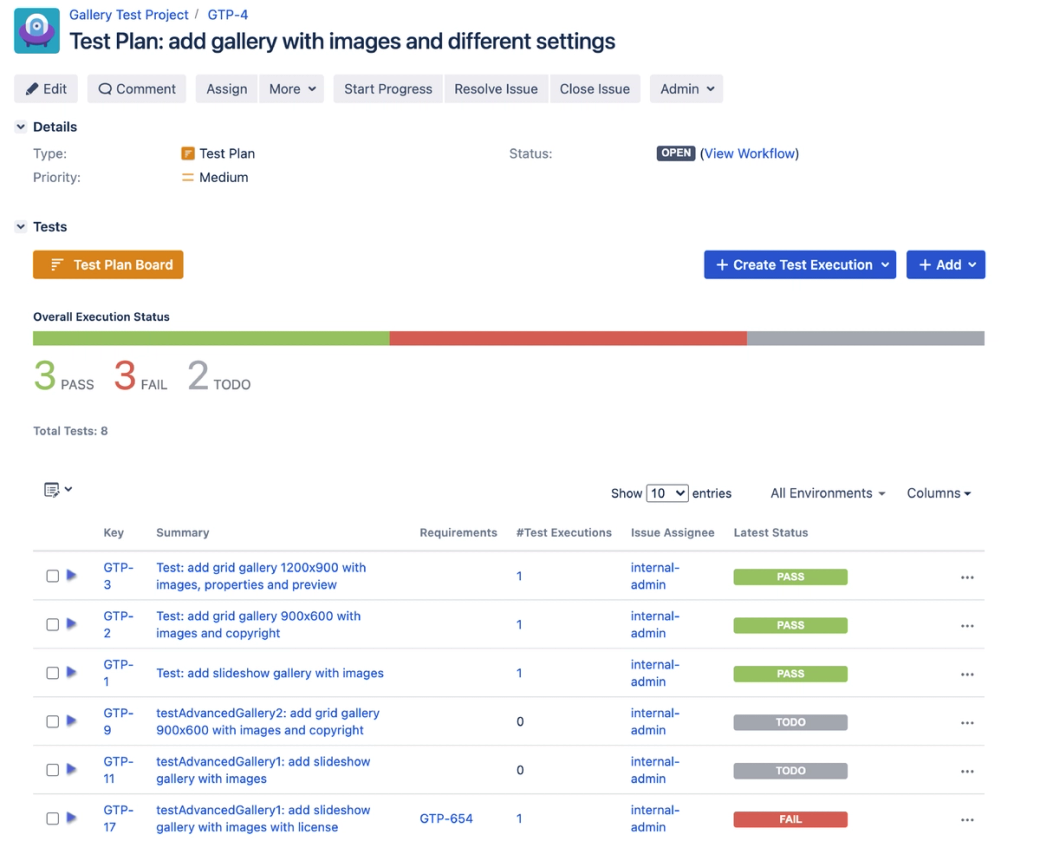
Visualizing Test Results
- Present test reports with dynamic charts.
- Download test reports and analyze the statistics.
- Check the success of automated tests.
Analyzing Test Failures
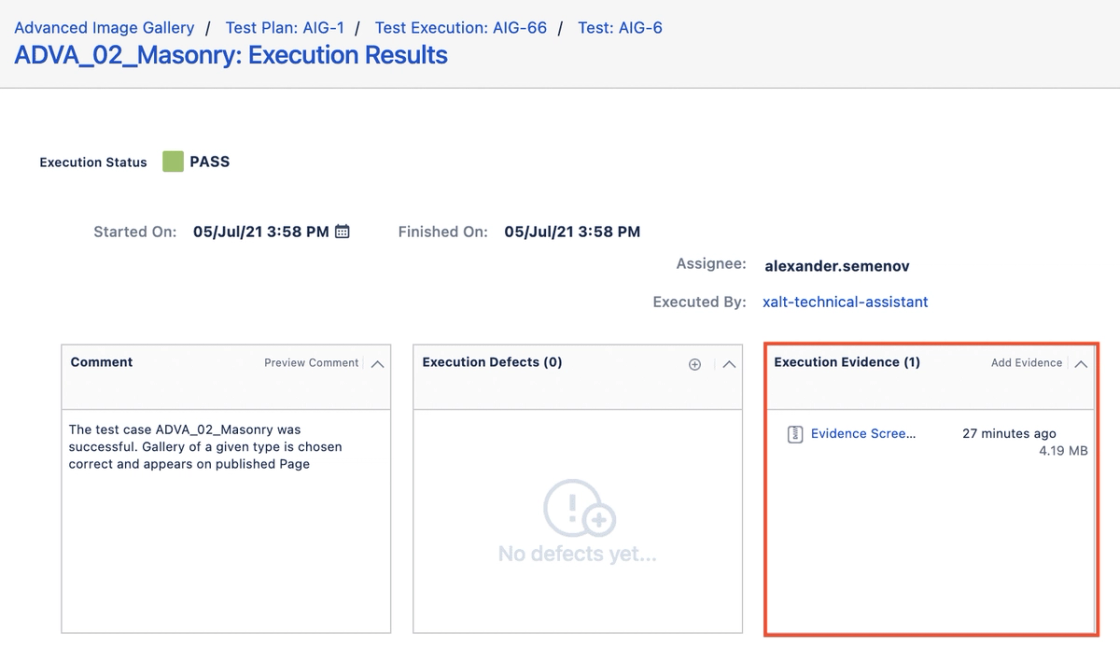
- Search for root causes using screenshots.
- Verify the accuracy of your tests.
- Instant feedback to the requirements team on why the test failed.
- Evidence that clearly documents the test results.
Automated Testing
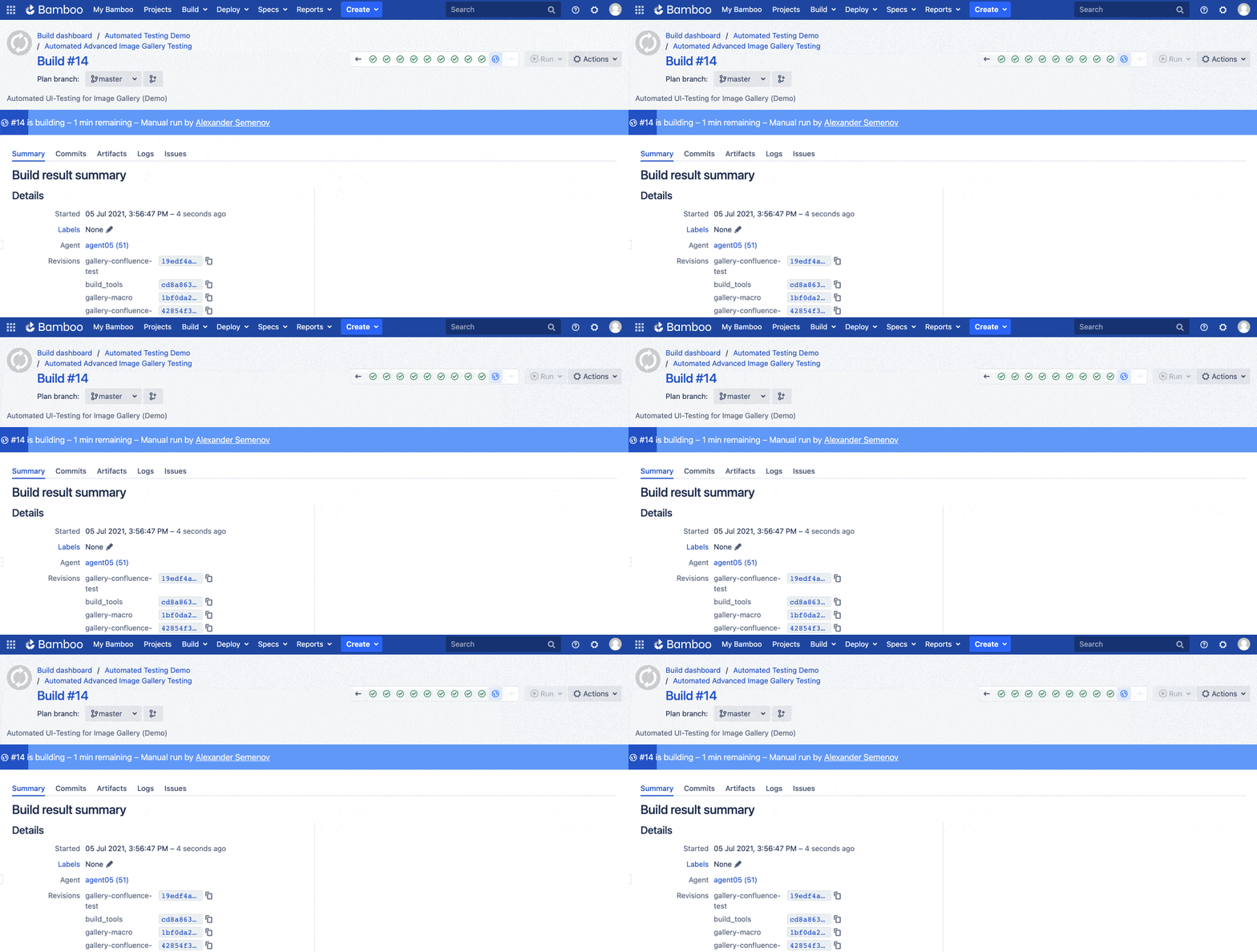
- Automatic triggering on source code changes and instant testing of the software.
- Test your software regularly and save a lot of time.
- Notifications via email or messages can be sent in the event of a test failure.
Easier Work for Your Team
Benefits of Our Solution
Results Overview
With our XRAY solution, you get current and structured overviews of your test execution results. You can decide which information is displayed.
Time Savings
Save an enormous amount of time on maintenance and execution. You don't have to adjust your workflow when you want to add new software features or test cases.
Transparency
All steps are automatically documented and logged in Jira. You can find out what caused the error with a single click, without having to look through all the scripts.
Easy Onboarding
The solution builds on tools your team already operates: Jira for the test cases, and the CI pipeline that already runs your builds. Your developers learn no new application—they get two familiar surfaces that talk to each other.
No Additional Plugins Needed
In addition to the XRAY plugin, you can use our automated testing solution immediately, without having to install additional third-party apps.
Improve Your Quality Assurance
By continuously testing your software, you ensure that your products are always ready for delivery and use by the customer.
Suitable for Various Tests
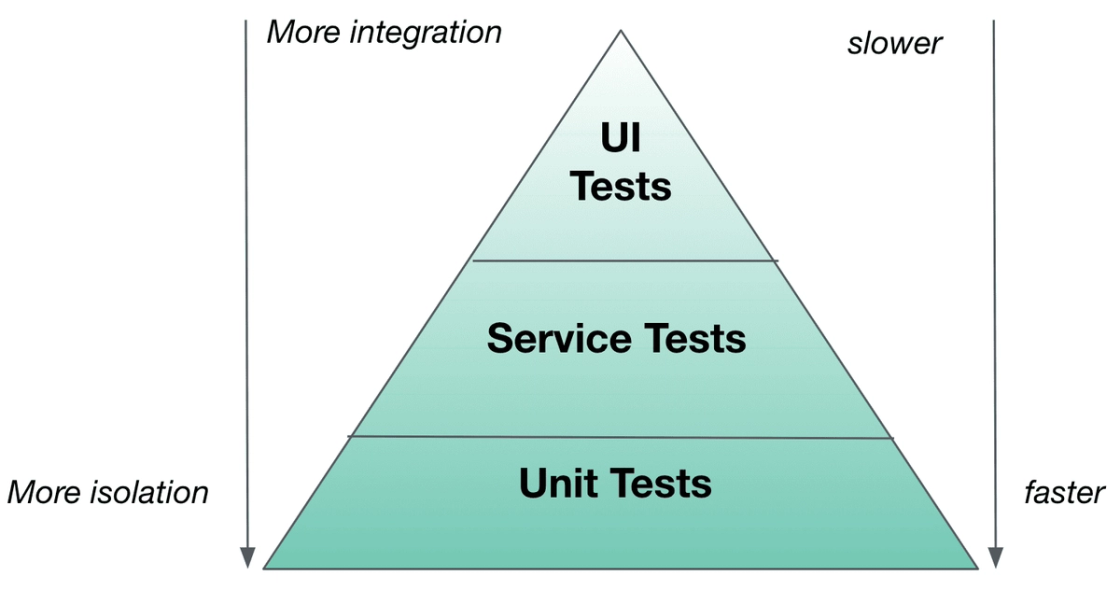
- Unit tests test individual components or functionalities in the code and give developers immediate feedback.
- Service tests validate the interaction of code with external components and ensure that they communicate correctly.
- UI tests test the user interface and ensure that the entire application works as desired.
- Load tests monitor your application's performance as each new feature is implemented.
- Pen tests ensure that your application is as secure as possible.
- Failover tests ensure that your system works in the event of a disaster recovery.
Can Be Used with Any Technology
- Test any web applications or operating systems.
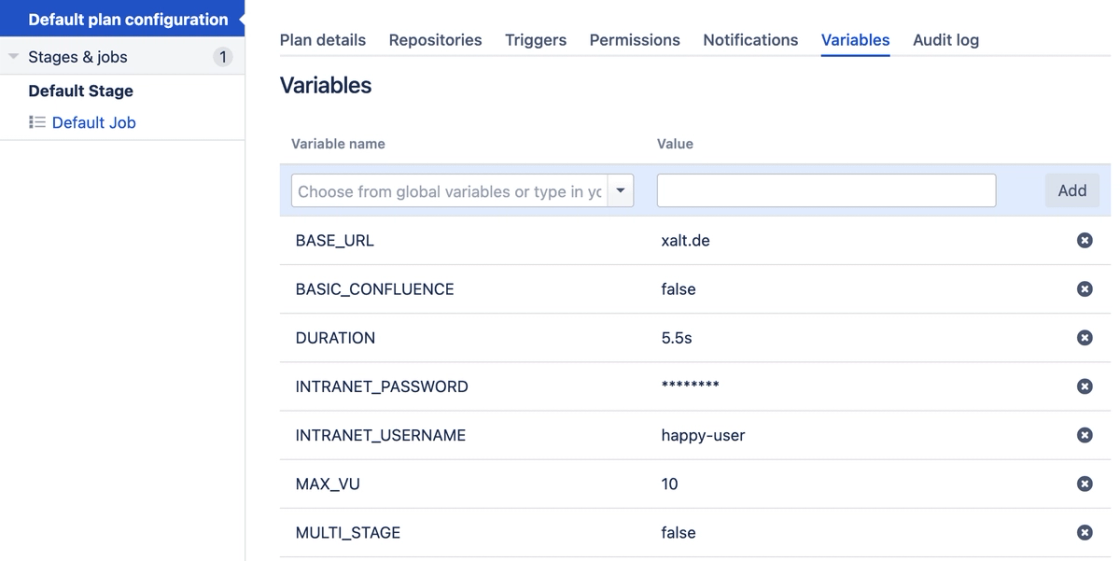
- Test the performance of the software with load tests.
Better call XALT
Become an Atlassian Champion Through the Integration of Jira, Confluence, and More
Would you like more information or a customized solution? We help you get the best out of your company. Feel free to contact us by phone, email, or visit us at our office.