Jira and Confluence Permission Management
Our solution helps you master the growing demands on access and permission management for users in Jira and Confluence.

Advantages and Features
The Key Advantages of Our Permission Management Solution
Scheduled Administration
Managing user and group permissions is a regular and necessary task. When all groups and roles are maintained manually, permission management for users is usually time-consuming.
More Speed
With our permission management solution, this process can be significantly simplified and accelerated. Users are able to submit a permission request via the Jira issue workflow.
Benefits of the Solution
• Centralized management of permissions • Simple and fast approval processes • Automatic assignment to the requested project
Approval Process
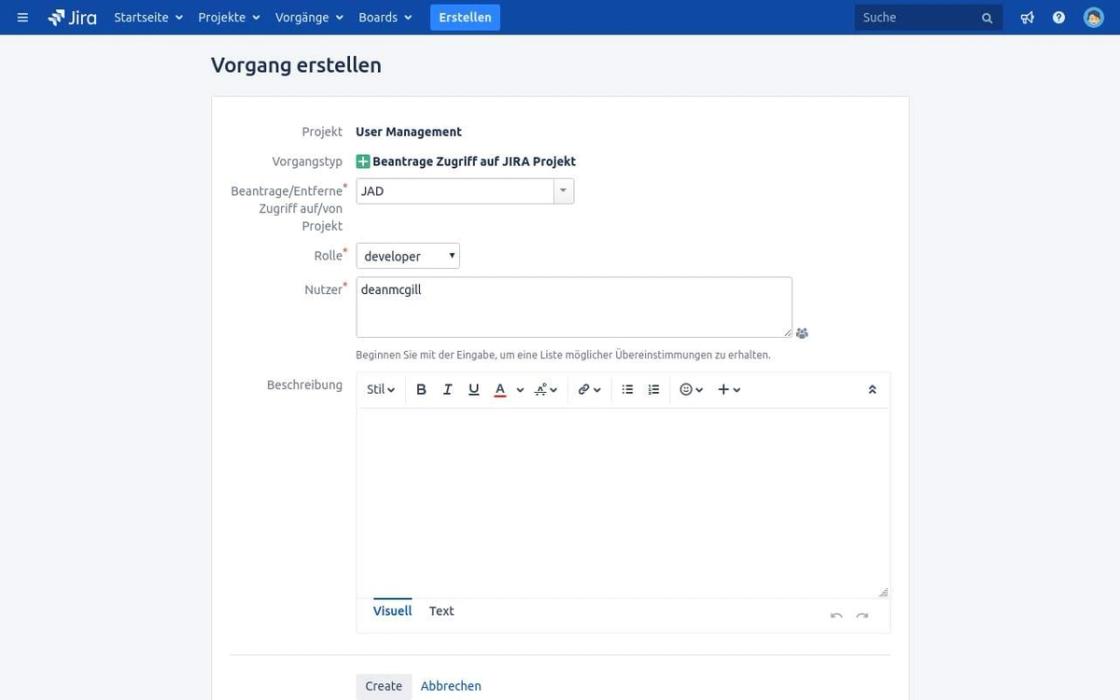
Let's assume users without a Jira license, for example a developer, need access to a Jira project, e.g. "Jira Addon Development".
- A project named "User Management" is created in Jira, which all users can access.
- Users without Jira licenses simply ask colleagues to submit a permission request.
- As the next step, the colleagues fill out the request.
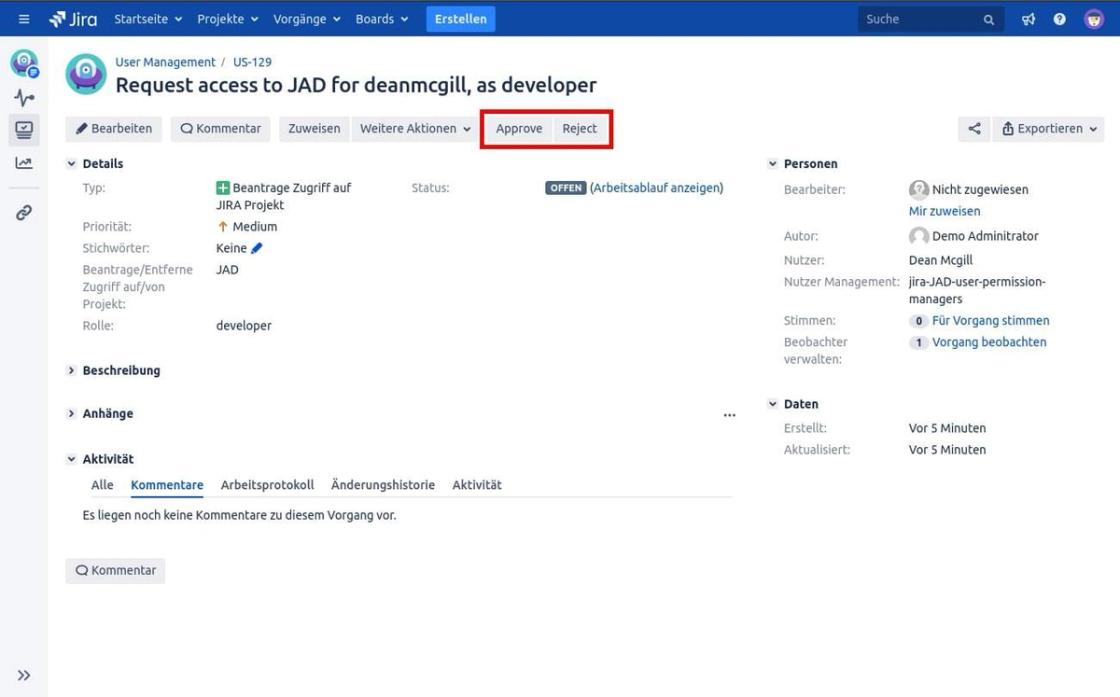
The responsible project leads are notified about the permission request and can approve or reject it.
- Once the request is approved, users are automatically assigned to the requested roles.
- If users don't yet have Jira licenses, colleagues can submit a request on their behalf.
In this case, a second Jira ticket is automatically created and the responsible Jira license administrators are notified. Once the administrators approve the permission request, users are automatically added to the groups.
Documentation
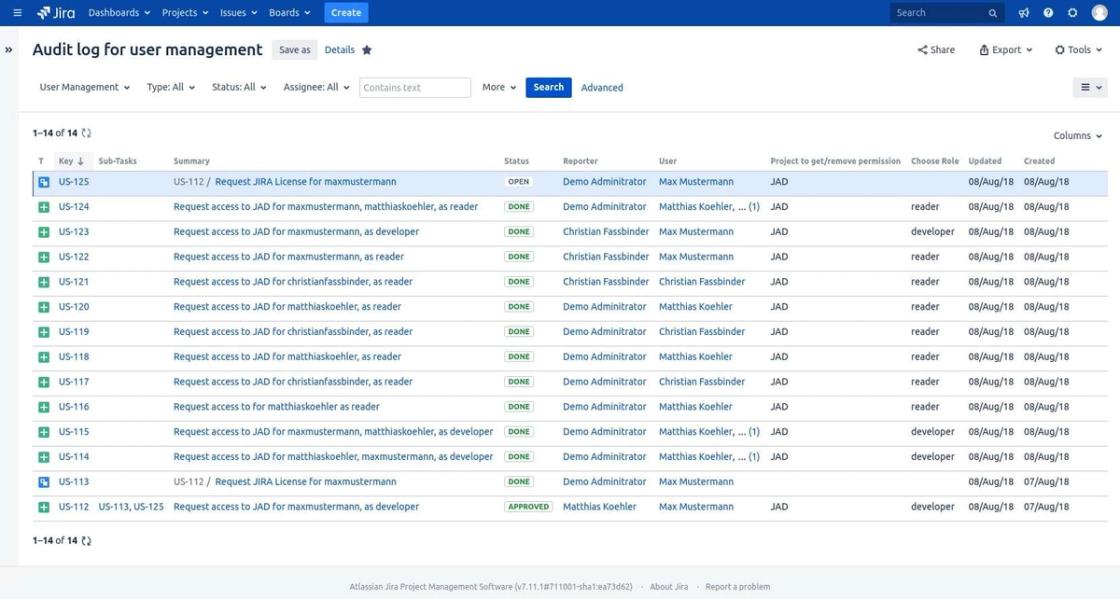
You can get an overview of the entire ticket history by using one of the predefined Jira filters.
If your team uses Confluence, an automated documentation setup can also be configured for your desired Confluence pages.
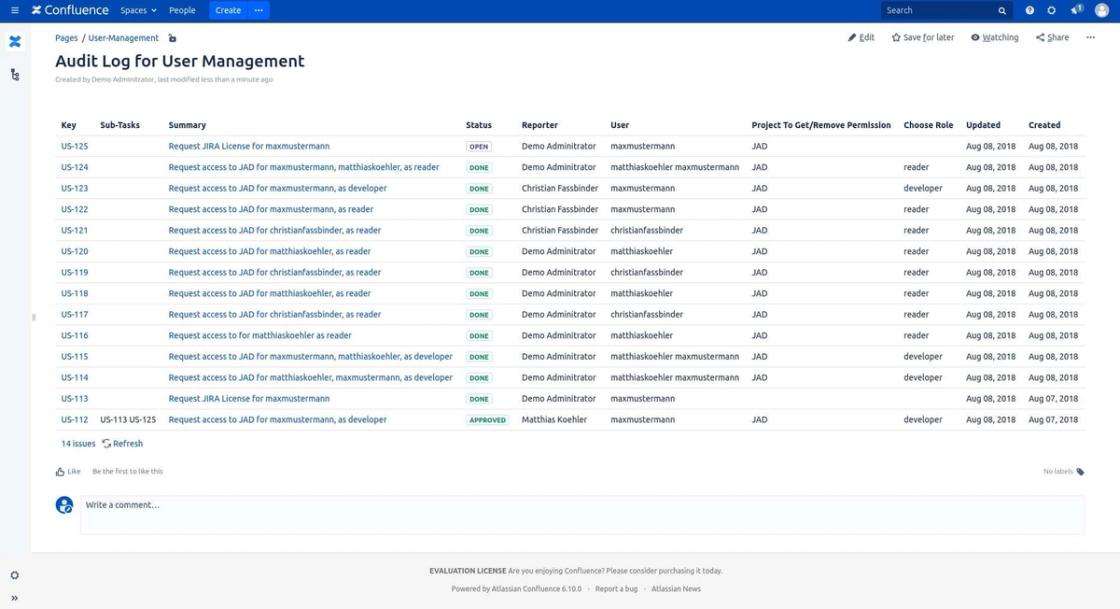
For optimized organization of permissions, you can see at any time which users have access to which areas.
This ensures that users get access to exactly the information they need for their work and that is intended for them.
How We Adapt It to Your Needs
Depending on your company size, your different teams, and the type of your Jira projects, different requirements apply to your permission management. We help you find the best solution.
Would you like to learn more about our permission management solution? Feel free to try out the features yourself on one of our test systems.
Our goal is to help you implement your desired solutions. To do this, we'll support you via screen sharing and guide you through the introduction of the solution.
You can reach out to us anytime to learn more about our user permission management. We're happy to offer a free initial consultation. New customers receive a 25% discount.
Better call XALT
Master Your Access and Permission Management
Would you like more information or a tailored solution? We help you get the best out of your company. Feel free to contact us by phone, email, or visit us at our office.