
For an IT company, it is particularly important to deliver a software product of high quality. Improving software development processes and automating them presents a significant challenge. The software must be continuously tested and the results analysed to quickly identify and fix potential errors. A test management solution offers extensive capabilities and advantages for structuring and organising product testing. In this blog post, we provide an overview of our own Quality Assurance test management, which we implement using Xray Test Management for Jira.
What is Quality Assurance Testing and why is it needed?
Quality Assurance Testing (Software Testing) fundamentally involves examining a software product for quality and defects. A software test involves executing a program with the aim of finding errors caused by software bugs, gathering information regarding quality, and providing an independent view of the software. A test management solution serves here as a central tool for managing executed tests and visualising the information gathered in the form of a dashboard or report. This enables companies to better assess risks in software implementation. It assures users that they have been provided with a high-quality product.
What is tested in software?
The requirements and functions being tested can vary significantly from project to project. However, three general properties that are tested can be formulated. These include:
- Individual functions of a software product
- The installation process in a new environment
- Load testing (simulation of software load)
Why use Jira for Quality Assurance Testing?
Jira is an issue and project tracking software by Atlassian that has become very popular in the fields of software development, project management, and customer communication. At XALT, we use Jira for bug tracking, planning, managing, and documenting work, as well as for software development, automation, support, and testing. One advantage of Jira is the extensive range of apps and plugins available, which can be integrated into and used within Jira.
Many agile teams use Jira Software for their test management due to these extensive capabilities, ensuring that software development and testing remain clearly organised within a single system. We follow the same approach at XALT. For this purpose, we use the Xray Test Management for Jira plugin, which offers features for organising, planning, and reporting on test progress in software test management.
Xray Test Management for Jira
Xray Test Management for Jira is an add-on for Jira that specialises in the illustration and reporting of test results. Additionally, it further supports software developers in planning and organising projects with a high number of tests and complex test plans within their test management. Xray Test Management for Jira is based on Jira and, in addition to the standard features of Atlassian's software, enables the implementation of a complete test lifecycle, including planning, development, execution, and reporting. It is also possible to display reports from test reports in interactive diagrams for further processing.
How we use XRAY for Quality Assurance
At XALT, we develop add-ons for Jira that can be installed from the Atlassian Marketplace. It is particularly important to us that the plugins function without errors. Therefore, we place great emphasis on quality assurance and its automation. We develop so-called UI tests, which simulate user inputs in browsers to test the user interface and functionality of our software. For the development and evaluation of these tests, we use Xray Test Management for Jira.
Example:
Planning:
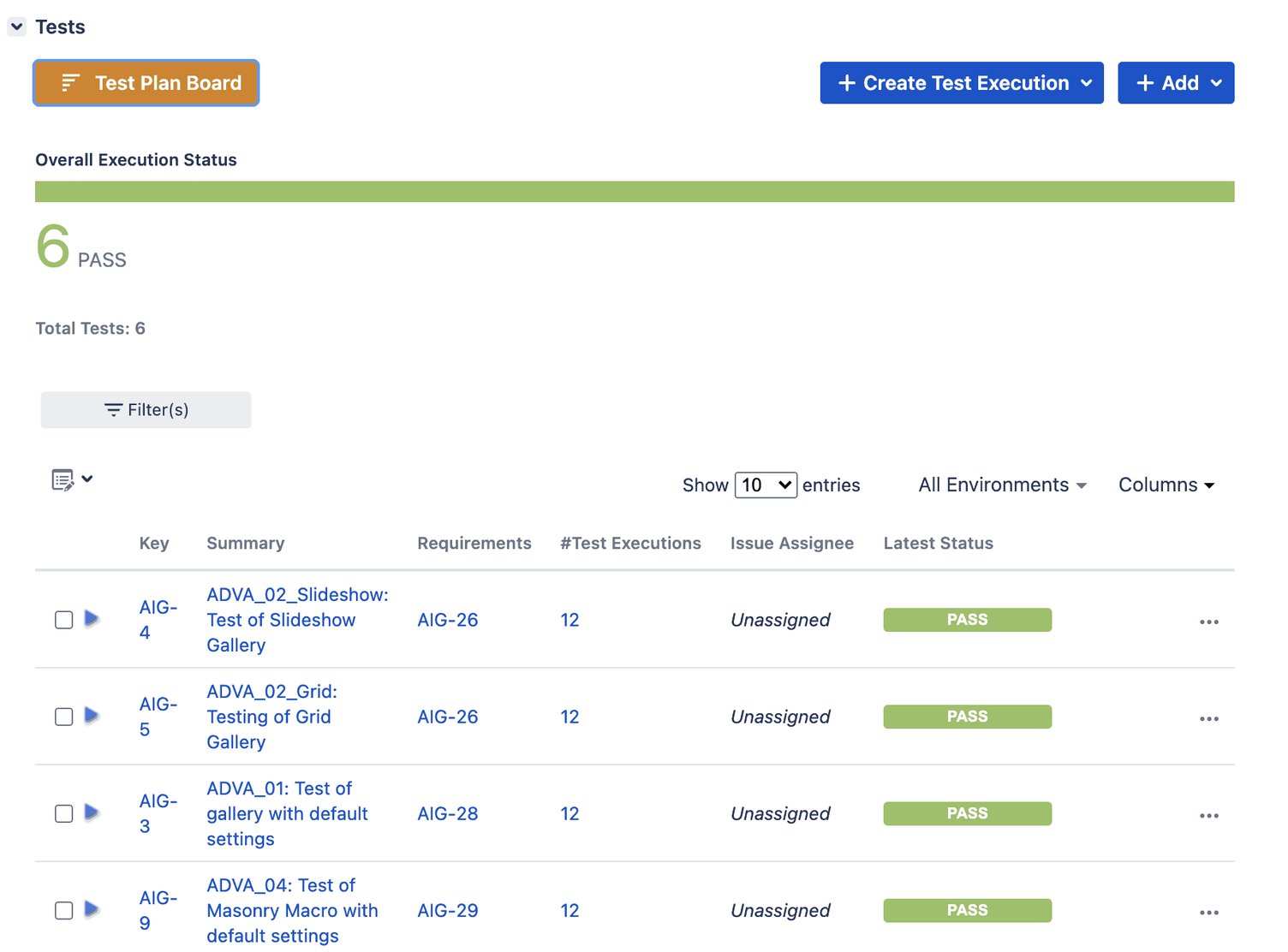
For planning the implementation of test cases, we use the test plans from XRAY.
Implementation:
Initially, the test cases are written. For our plugins, we most frequently carry out UI tests (= User Interface). For the UI tests, we use the Selenium Webdriver framework, which enables the simulation and automation of user inputs in browsers. To check the function of individual HTML elements, we use JUnit (Java Unit). This is a framework that allows unit tests of classes and methods in Java programs to be carried out.
Execution:
The tests are integrated into our CI pipeline (Continuous Integration) and executed.
Analysis:
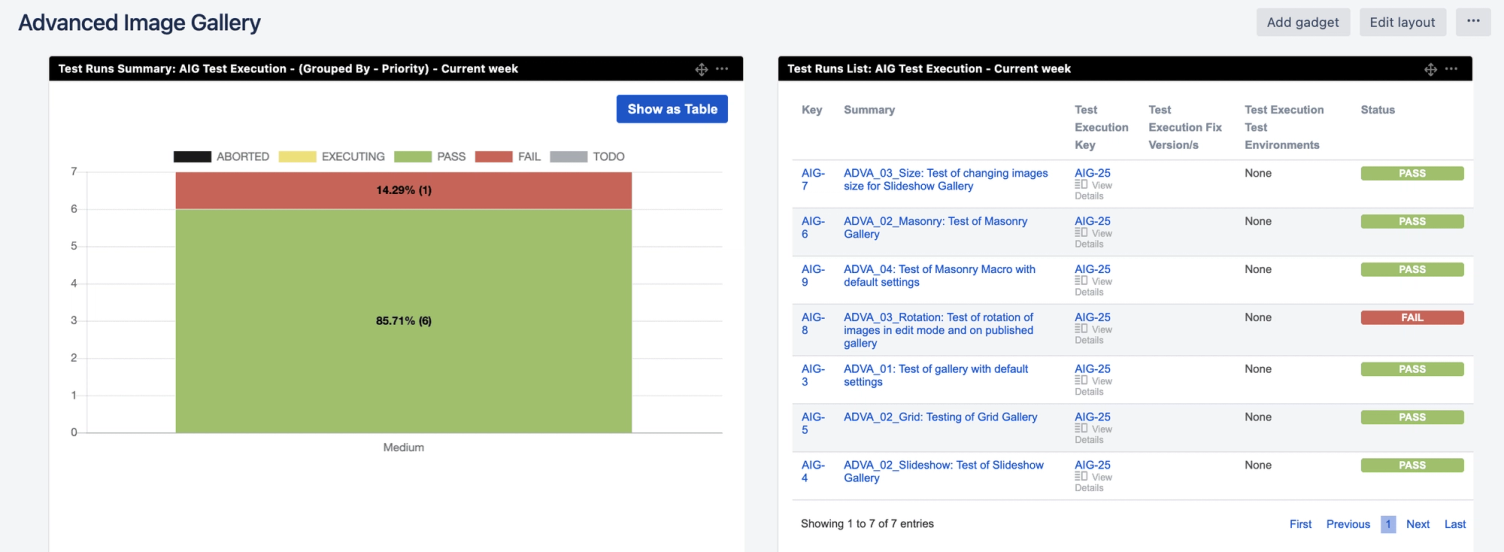
Subsequently, we use XRAY to analyse and evaluate the test results. Statistics and diagrams are generated for the test executions, providing a detailed overview of successful and failed tests. This allows our development team to examine the individual test executions in more detail.
The individual test runs can also be automated. Automated tests are triggered when there is a change in the software. This could, for example, be a new feature, such as the ability to edit images in our Image Gallery. If the quality assurance tests are successful, the change is automatically implemented and a new update can be released. If the test runs are not successful, we use XRAY again and examine the results for errors.
The test results can be presented directly to your customers as charts and graphs. This establishes the necessary transparency and builds trust for further successful collaboration.
Conclusion - Quality Assurance Tests with XRAY
Software testing is important for identifying and painlessly fixing errors as quickly as possible. This allows us to deliver consistently high-quality software applications to our customers. The advantage of XRAY lies primarily in the fact that, through automation, a permanent test environment is available and updates are continuously checked for errors.