
Detailed reporting has always been part of every professional workflow. And so it is in Jira Service Management, where it is easy to create comprehensive reports. These enable your team to continuously improve.
With the help of the fully integrated and native reporting function, you can continuously evaluate your team's performance. And then you can analyse where a bottleneck exists. And all without having to intervene manually anywhere.
Native reporting - made easy
Jira Service Management comes with several predefined reports out of the box and creates them fully automatically and by default. The following reports are already predefined:
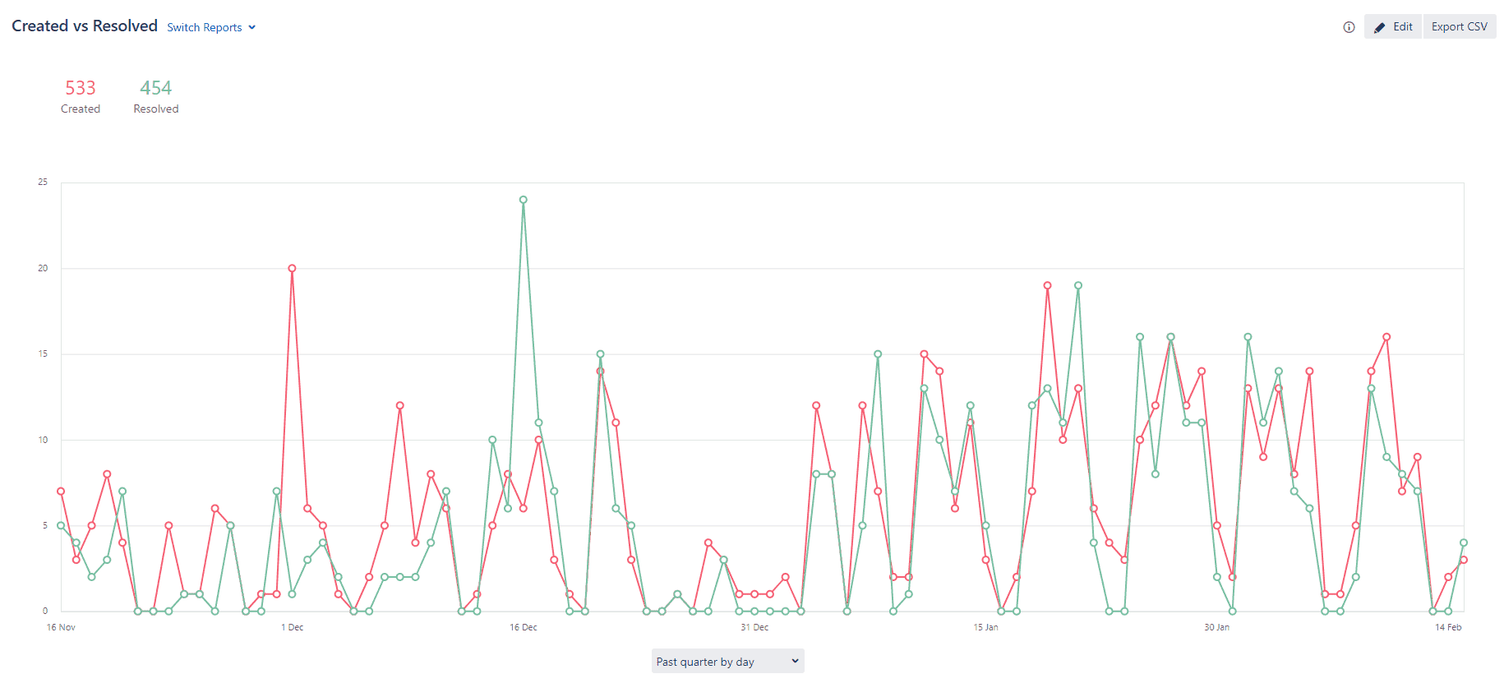
- Performance Report - Created vs. resolved issues: Find out how effectively your team is working or where a bottleneck is occurring.
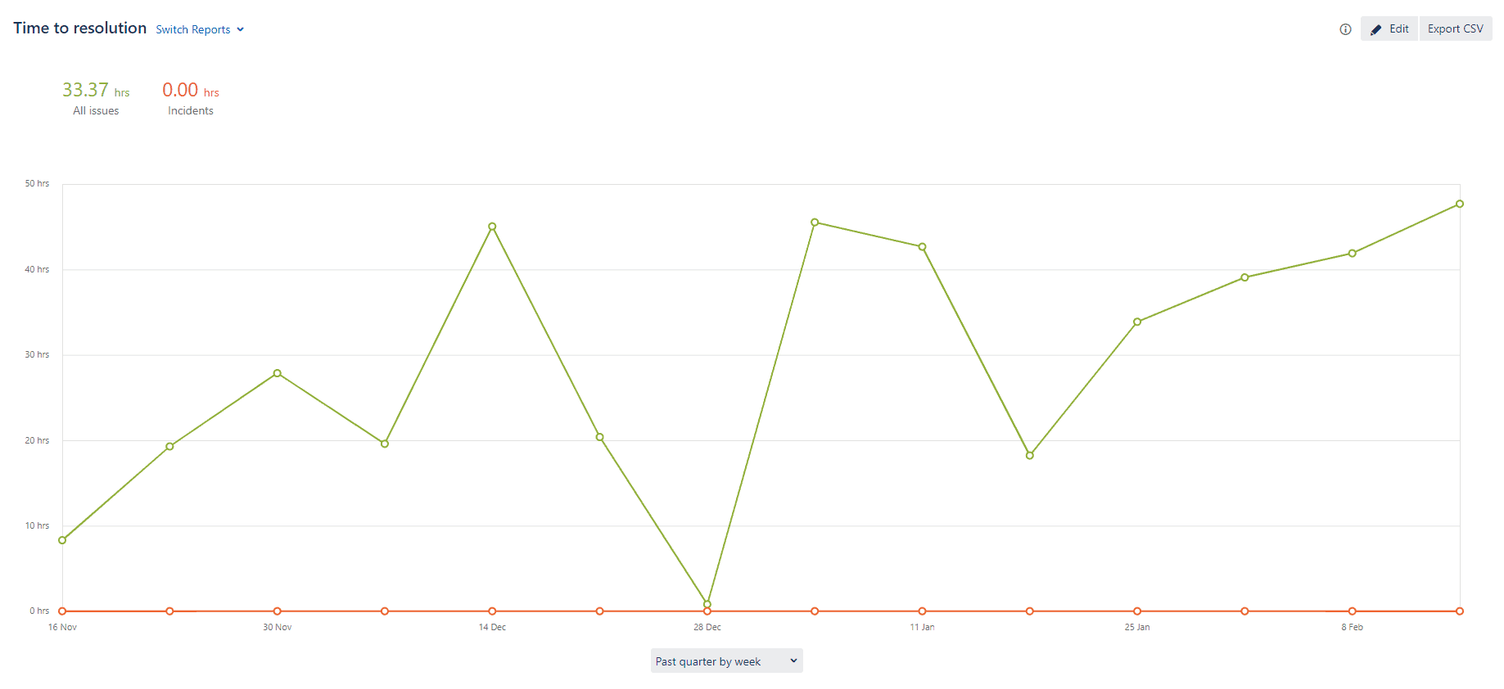
- Time taken to resolve: Can your team process a sufficient number of tickets within a specific period?
- Time to first response: How long does a ticket remain unprocessed in the system?
- Wait time for support: How long does a ticket creator have to wait for support?
- Requests by priority: Which priority occurs most frequently?
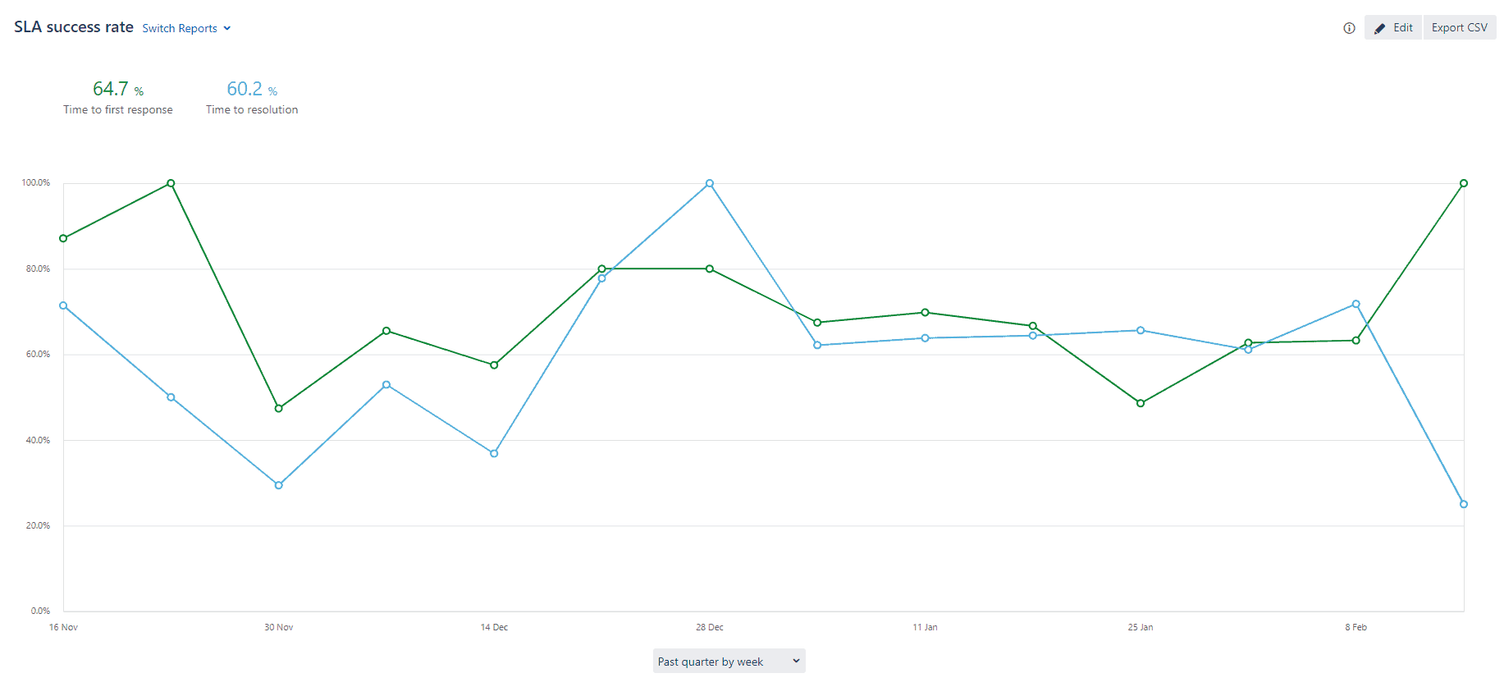
- Service Level Agreement (SLA) reports: How good is my customer service really. Here you can find out whether your customer service has actually achieved the set targets. And where the performance was ultimately insufficient. Possible SLA reports are:
- Time to resolution
- Wait time until first support
- Time to first response
Jira Service Management offers the additional advantage here that all reports can be adjusted at any time. And you can also create fully personalised reports.
You can share “read-only” reports with your team. This creates the necessary transparency regarding the defined performance indicators (KPIs) and informs your team exactly which data is being collected.
Performance, visibility and tracking
With Jira Service Management, customer service and support teams can easily track their performance and have access to relevant reports at any time. As already mentioned, you can create real-time reports. These provide both the team and management with insight into the workflow. This allows for easy evaluation of where improvements can still be made, or whether additional manpower is needed. You are always able to track all relevant KPIs. And you can find out where you or your team can still improve further.
Example reports in Jira Service Management
Performance report: Created vs. resolved issues
This report gives you an initial overview of the number of created requests compared to resolved requests. This allows you to immediately recognise, for example, whether an update to your IT system has led to an increase in requests. Or whether fewer requests could be resolved due to an employee absence. Furthermore, it can also be determined whether the introduction of a new process has reduced the processing time of individual requests.
Requests by priority
With this standard report, it is easy for you to find out which request priority is most frequently selected by Jira Service Management users. With Jira Service Management, you can thus easily get an overview of which JIRA issue types are being handled by your customer support team.
Jira Query Language (JQL) reports
In addition to the predefined reports, you can also filter JIRA issues with JQL. That is, by highlighting the responsiveness of certain issue types, you can see, for example, how quickly a blocker or a high-priority ticket is answered compared to other issues.
Your teams can use this to break down data further and refine reports to, for example, highlight and clarify specific problem areas. With these insights, you can proactively answer in the following knowledge base article. And provide your users with help desk articles for self-service in advance. This allows certain support requests to be answered and resolved without a ticket.
12-month report archive
Jira Service Management stores reports for 12 months and offers you and your team the opportunity to assess which KPIs or target values should be defined for service level agreements . This makes it easy for you to set realistic targets for the customer and support team and to visualise workload and performance.
XALT as an Atlassian Platinum Partner
As an Atlassian Platinum Partner for Jira and Confluence, we are happy to support you with all questions and solutions regarding the introduction and use of Atlassian solutions. This also includes the introduction of Jira Service Management in your company. We advise you on all matters from planning and configuration to licensing and implementation of Atlassian solutions. You can find more information about our offer on our information page about our Atlassian Services.