When introducing new systems, the focus is often on the positive business results they promise: higher customer satisfaction, more efficient support processes, and savings in operating costs of X. However, achieving these results requires an essential prerequisite that is often not in the focus of decision-makers: the acceptance of the users – in this case, the support team – to use the new system correctly and willingly. In this article, we highlight the key features that a modern customer support portal should offer to improve user adoption and provide concrete suggestions on how to make the onboarding process easier for users.
Why user adoption is a challenge
The typical hurdles when introducing a new system are:
- Complexity of operation: If a new system appears complicated, users tend to revert to familiar, inefficient support channels (e.g. emails).
- Lack of integration: A support portal that does not work seamlessly with existing tools (e.g. CRM or collaboration platforms) hinders the workflow.
- Poor communication: A well-thought-out communication strategy during a system change is crucial for successful user adoption. Simply presenting users with a fait accompli and not involving them in the implementation process negatively impacts acceptance.
- Insufficient training: Without a good introduction to the system, users feel overwhelmed and refuse to use it.
- Lack of personalisation: A static, inflexible system does not meet the individual requirements of users.
How to make the onboarding process easier for users
The following links key change management principles with the features of Jira Service Management to optimise user acceptance.
1. Highlight personal benefits for support agents
The introduction of a new customer support portal can only be successful if users recognise the individual benefits. Many employees are initially sceptical about change – especially if they do not see a direct benefit for themselves.
What needs to be done?
- Identify the main user groups and their specific challenges, both professional and personal.
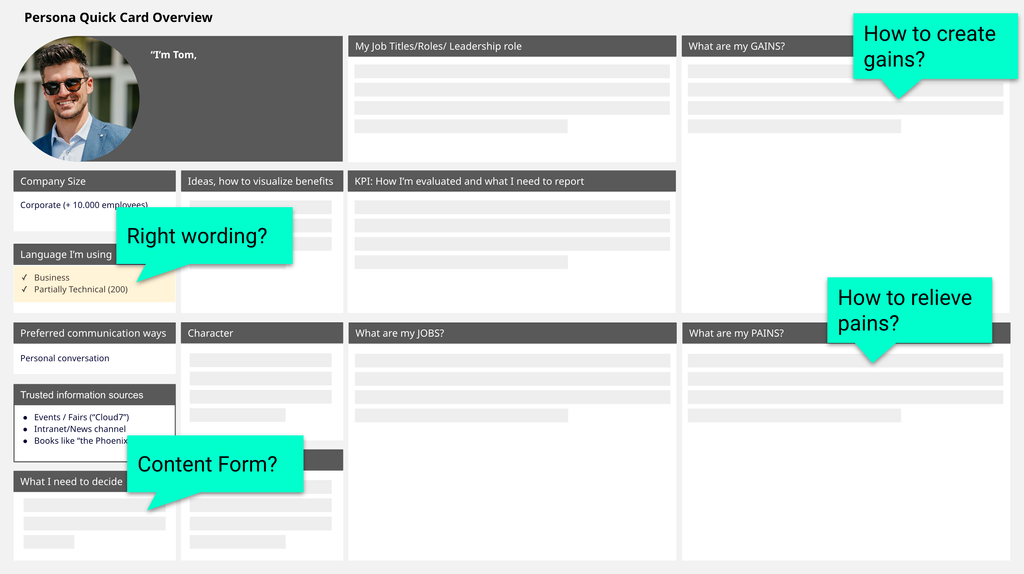
Example: The volume of tickets for 1st level support staff is increasing steadily. By the end of the working day, numerous requests remain unanswered and SLAs can sometimes not be met. Support performance is measured by this metric, which increases stress levels and decreases employee satisfaction. - Clarify how the new system makes their work easier.
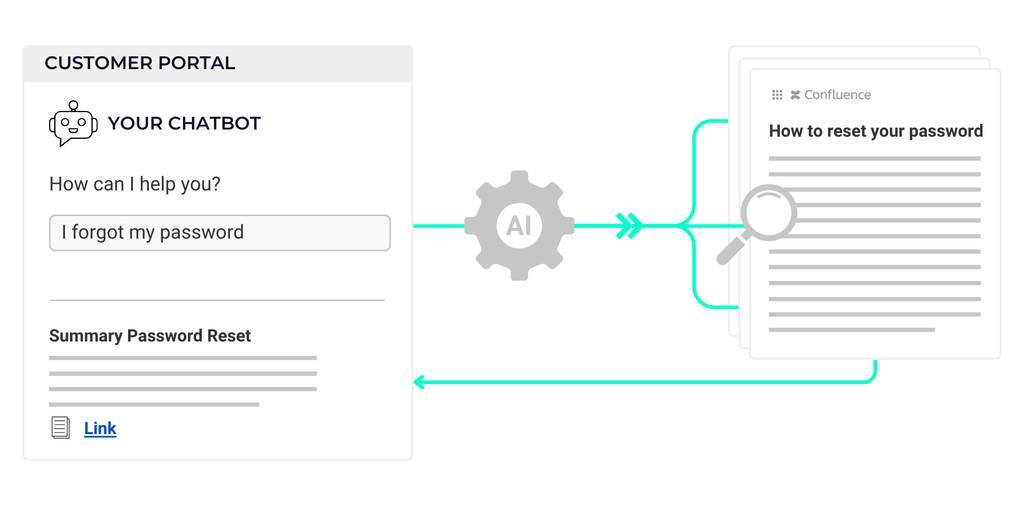
Example: The new customer support portal can be set up so that an AI chatbot independently answers standard queries and provides customers with self-service articles for frequently occurring requests. This significantly reduces the ticket volume for the support team. - Create tailored communication strategies and materials that are customised to the users and their individual “pain points”.
Example: The support team prefers short videos so they can view the information when they have the mental bandwidth for it.
2. Repeat your communication
People need repetition to internalise information. A single email about the new system introduction is not enough – the more complex the change, the more often the message must be conveyed. Ideally, key users should be involved in the planned system change at a very early stage to gradually introduce them to the new portal.
What needs to be done?
- Disseminate information through various channels (intranet, email, presentations, meetings, newsletters).
- Repeat core messages at least 7 times in different formats.
- Vary the content to avoid boredom (e.g. a video interview with a satisfied user, a blog post, or an interactive Q&A session).
Example: Monthly intranet articles or short videos showcase success stories from different user groups, showing how quickly and efficiently various problems are now being resolved.
3. Plan for a long-term change management strategy
Change management is not a one-off event but an ongoing process. Users must be continuously supported and motivated to use the new system.
What needs to be done?
- Apply the ADKAR model to best support the different phases a user goes through during a system change. The phases include Awareness, Desire, Knowledge, Ability, Reinforcement.
Example:- In the Awareness phase, the focus is on making it clear to the user why a system change is necessary and beneficial in the first place. The aim is for the user to feel supported and informed, rather than being confronted with a fait accompli.
- In the Desire phase, users should be convinced to embrace the change, for example by highlighting the benefits of the new system, such as reducing the volume of tickets through the use of an AI chatbot.
- In the Knowledge phase, step-by-step knowledge should be built up among users so that they can more easily find their way into productivity.
- In the Ability phase, it must be ensured that users have a clear point of contact for any questions.
- The Reinforcement phase is designed for sharing success stories and celebrating milestones, such as improved TTR (Time-to-Resolution) or positive CSATs (Customer Satisfaction Scores).
- Create opportunities for users to actively engage with the new system, such as through repeated training sessions, open Q&A hours, or internal competitions.
- Collect feedback regularly and respond to it – users must see that their opinion matters.
4. Provide high-quality content
Informative and relevant content published within the communication and change management strategy is crucial for the acceptance of new technologies.
What needs to be done?
- Good communication ensures that W-questions are answered, such as: Why is something being changed? What exactly is changing? Who is changing something? When does the change take place? How does it work? Where can I find new tools/information? In particular, the 'why' question plays a decisive role in the target group's willingness to accept the changes.
- The communication of technical features should always go hand in hand with highlighting the benefits for the user group, such as time savings, reduced effort, or lower costs and risks.
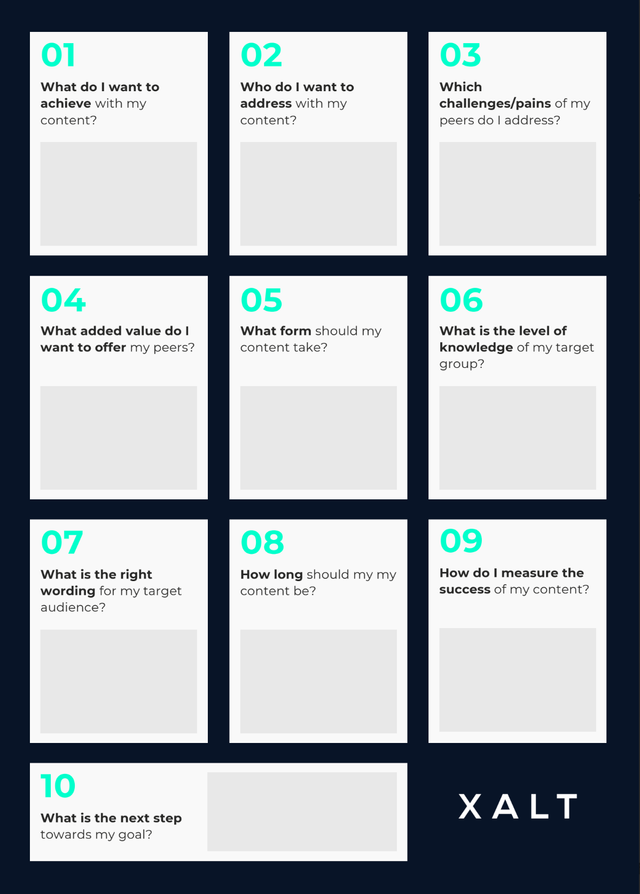
- To ensure your communication has the greatest possible impact, there are various guiding questions that can be used as a checklist to create high-quality content.
5. Use different communication channels
Not everyone reads emails or blog posts. Depending on the target group, different channels must be utilised.
What needs to be done?
- Create a communication plan to ensure that all relevant target groups are reached in the appropriate phases with the right measure in the right channel.
- Use the Intranet, Slack, MS Teams, emails, meetings, posters, and events to disseminate information.
- Create a structured knowledge base with frequently asked questions and guides.
- Use various formats: short how-to videos, interactive tutorials, screenshots with step-by-step explanations.
6. Encourage the practical application of the new customer portal
A common problem in change projects: Users do not know how to use the new platform effectively.
What needs to be done?
- Rely on peer-to-peer communication – when colleagues learn from each other, acceptance is higher.
- Set up support channels so that user questions can be resolved quickly and without hassle.
- Hold regular live demos and workshops
- Appoint employee coaches who serve as points of contact for questions.
- Provide a test system in which users can practice safely.
How a customer support portal with Jira Service Management supports user adoption
Jira Service Management offers an intuitive user interface specifically designed to efficiently support both IT and non-technical teams. It provides several features that make it easier for users to switch to the tool, allowing them to quickly and tangibly benefit for themselves and their productivity.
1. Clear, uncluttered interface with intuitive navigation
Jira Service Management is designed so that all essential functions are easily accessible, without users having to navigate through complex menus.
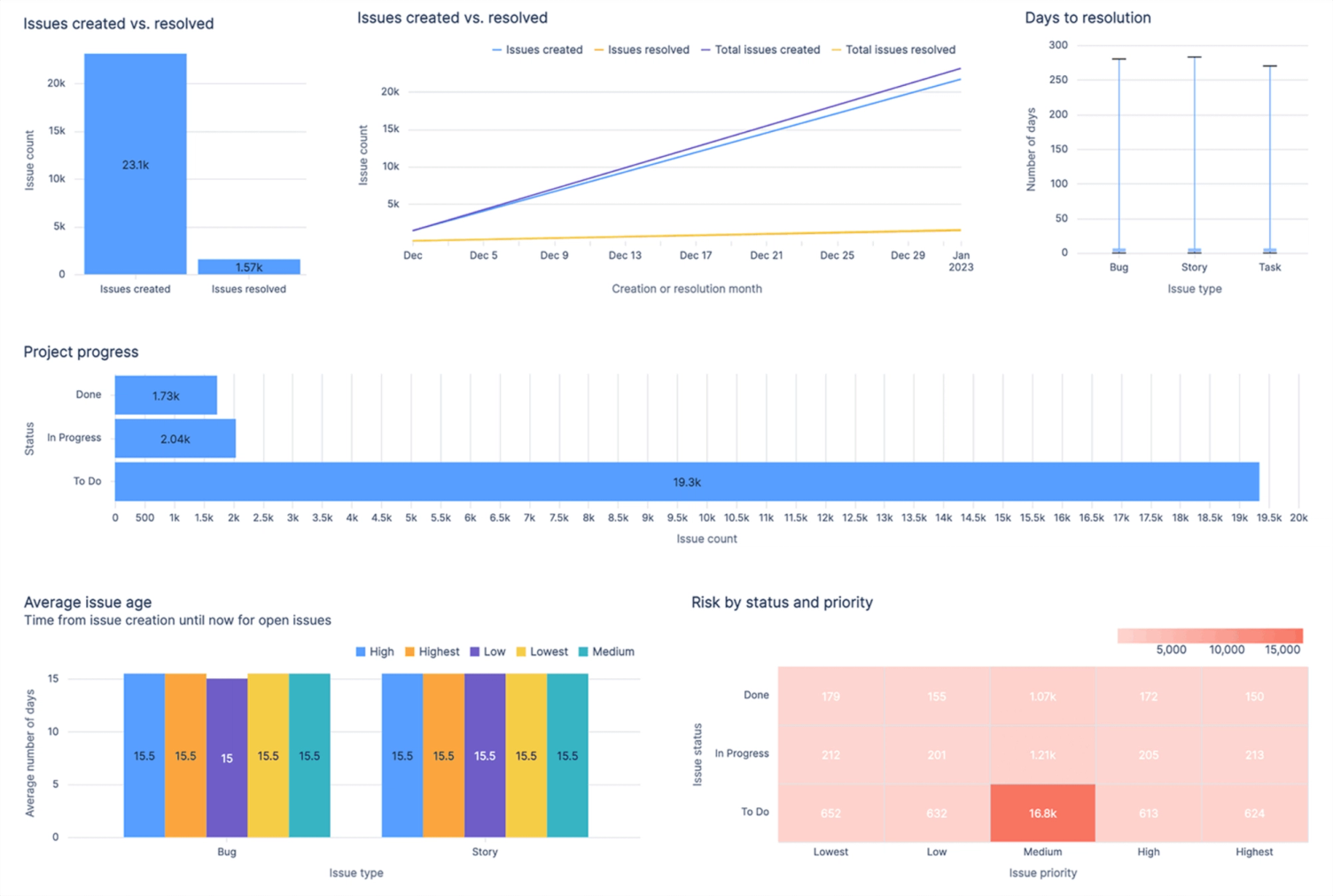
- Dashboard-centric approach: All relevant requests, SLAs, and workflows are visible at a glance.
- Quick access: Frequently used actions such as ticket creation, search queries, or service categories are prominently placed.
Benefit: New users find their way around quickly, without long onboarding periods.
2. Simple self-service portal experience
End users – whether in IT, HR or finance teams – benefit from a user-friendly self-service portal:
- Built-in knowledge base: Relevant articles are automatically suggested before a ticket is created.
- Drag-and-drop form design: Requests can be customised individually without IT knowledge.
- Mobile optimisation: Users can conveniently create support requests on the go via the mobile view.
Benefit: Fewer tickets, as users can resolve many issues themselves.
3. Visual ticket management with intuitive workflows
Jira Service Management makes working with tickets easier:
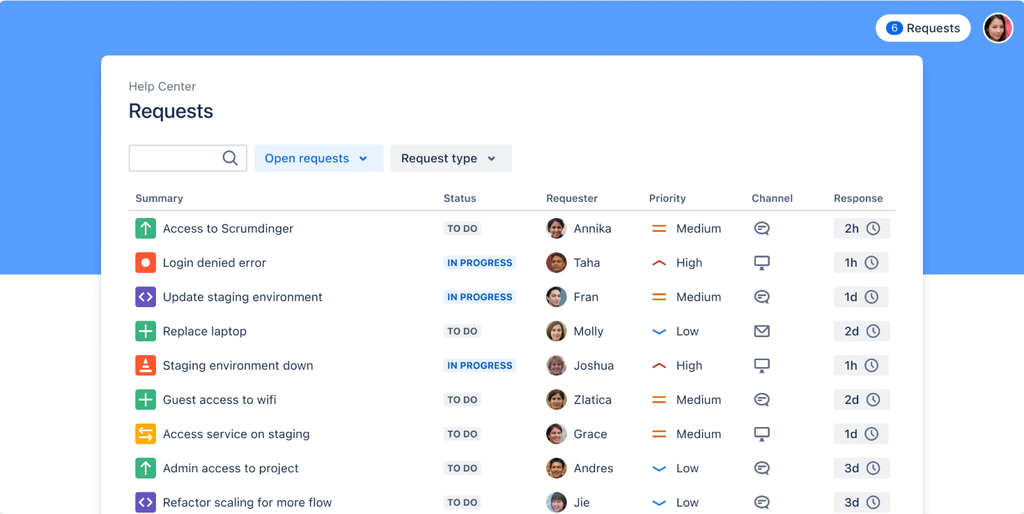
- Card-based view (Kanban & Queue view): Tickets are displayed in a visually structured way, allowing support teams to quickly grasp progress.
- Automatic categorisation: Thanks to AI-driven analysis, requests are intelligently sorted, prioritised and routed to the right teams.
- Colour coding for priorities & SLA status: Important and urgent requests are immediately recognisable.
Benefit: Support staff can process tickets faster and more efficiently.
4. Seamless integration with other Atlassian tools & third-party apps
Jira Service Management fits perfectly into existing tool environments, ensuring a seamless user experience:
- Integration with Jira Software: Developers and support teams collaborate without media breaks.
- MS Teams & Slack integration: Users can create support requests directly from their collaboration tools.
- Automation with Confluence: Key instructions or solutions can be provided with a single click.
Benefit: Teams work more collaboratively, and requests are resolved faster.
5. AI-powered user guidance & intelligent automation
The integration of Atlassian Intelligence (AI) makes Jira Service Management even smarter:
- Automatic summarisation of requests: The AI summarises long tickets and updates in a few sentences.
- Recommended solutions & knowledge articles: Users receive proactive assistance based on previous requests.
- No-code automation: Workflows can be created without programming knowledge.
Benefit: Less time spent on manual processes & higher efficiency.
Conclusion
A modern customer support portal must be more than just a ticketing system – it must be a user-friendly, integrated, and intelligent solution that provides real value to users. Intuitive operation, AI-powered processes, self-service options, and a step-by-step, well-planned communication and rollout are essential to drive user adoption and make support processes more efficient.
As we have already supported countless companies with technology rollouts, we can assist you with workshops and services. You can find more information here: