If you're currently migrating from Server or Data Center to the Atlassian Cloud (or have already done so), you know the problem:
Your Jira and Confluence instance is running in the Cloud, but some of your old power is missing. I meanApps (formerly "Plugins") and custom developments, which worked great on Data Center but in the Cloud:
- are not available at all,
- only work with limited functionality, or
- cannot be economically rebuilt 1:1.
So what actually happens in reality?
Teams fall back intomanual workaroundsagain. Content gets copied, pages are built by hand, processes are 'patched' together with Excel and copy & paste. The cloud suddenly feels like a step backward rather than an upgrade.
In this article, I'll show you how to tackle exactly this point:
- Consistently rethinking legacy apps, instead of just 'rescuing' them
- withVibe Coding (natural language + artificial intelligence + automation) build new, cloud-native solutions
- and see in a customer case how this resulted in480 hours of time savings, up to300% more output in documentation and several thousand euros in cost savings per year.
Typical mistakes after cloud migration
App and plugin migration is underestimated
Many companies underestimate the importance ofcustom-developed apps, macros, and integrations. This refers to all extensions for Jira and Confluence that were developed in-house and are not available in the Atlassian Marketplace. We therefore recommend treating custom-developed apps or integrations as a separate step alongside the migration of marketplace apps – precisely becausenot all plugins can be replaced one-to-one.
Typical patterns:
- "We'll look at that plugin later" → later = in practice, oftennever.
- The original developers of the solution have long since moved on.
- No one feels responsible for rethinking the function in the cloud.
Teams fall back into old, manual processes
After the cloud migration, teams quickly fall back into old, manual processes again, and for many it feels like working in the cloud is a step backward:"It used to happen automatically, but now everything is more cumbersome."
The result:
- Theacceptance of the Atlassian Cloud is suffering – instead of feeling like an upgrade, it feels like a downgrade.
- The plannedROI of the cloud migration is not being realized: license costs are indeed rising, but efficiency gains fail to materialize because key workflows (e.g., documentation, approvals, reports) are no longer automated.
Lack of automation expertise
Atlassian now offers very solid capabilities forintegrating Jira Automation with Confluenceand, for example, triggering actions in Confluence from Jira.
However, in many organizations, the internal expertise for this is lacking, or it appears "too technical" at first glance.
Risk: DIY workarounds instead of cloud-native standards
To compensate for missing apps, the following quickly arise:
- Scripts "under the table" (local, without governance),
- semi-official REST API hacks,
- or other siloed solutions that are not properly documented.
In short: The pressure is high, but no one wants 'yet another app.' You need a solution that is native, scalable, and manageable.
Vibe Coding as a solution principle: Rethinking apps, not replicating them
Vibe Codingsimply means:
You no longer build workflows using classic developer logic (code, complex configurations), but instead describe them innatural languageand uses Artificial Intelligence (AI) and platform functions to generate rules, automations, and integrations from them.
In the Atlassian ecosystem, this looks like:
- Atlassian Rovobecomes the AI layer on Jira & Confluence: Rovo knows your content, contexts, and processes and helps you design, test, and refine workflows.
- Jira AutomationandConfluence Automationprovide the technical foundation to trigger actions, send webhooks, and automatically create pages.
The difference from the classic 'app approach':
- You are no longer dependent on a single app,
- you build on the standard features of the Atlassian Cloud,
- and you can continuously expand your setup without having to commission development each time.
The goal:Function over app. You definewhich outcome you need (e.g., "A Confluence page with specific content for every story in the sprint"), and you build that outcome using native means supported by artificial intelligence.
In 5 steps from legacy app to vibe coding workflow
Below, we outline a generic path we followed in a client project.
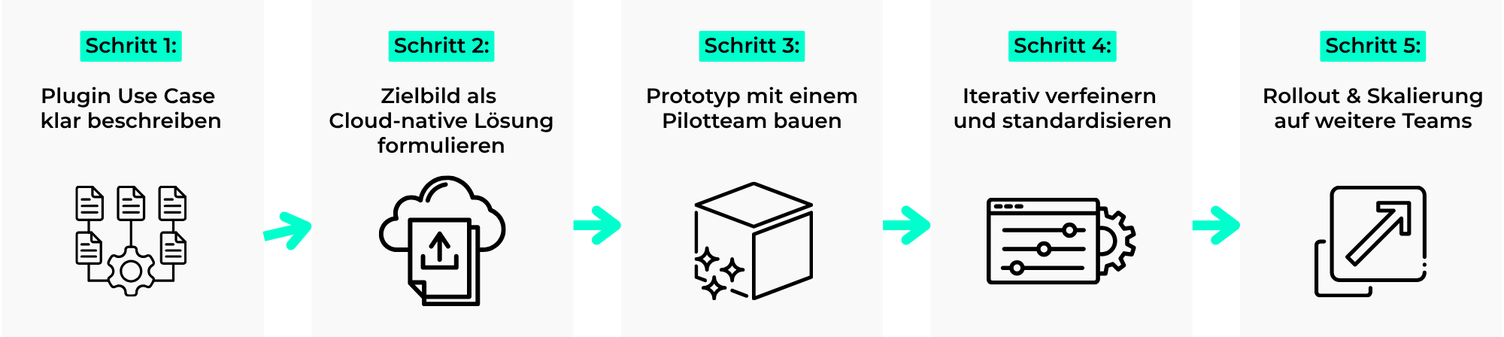
1. Clearly describe the use case of the legacy solution
Instead of “We need the app back again,” you ask questions like:
- Whichspecific task did the solution accomplish?
- Whichteams use it? What outcomes do they need at the end (e.g., PDF document, audit reports, sprint review materials)?
- WhichFields / Contentare truly relevant (Summary, Description, Labels, Custom Fields, Status, Story Points, …)?
In our client example, the use case was:
From Jira Work Items (primarily Stories and Bugs), Confluence pages should be automaticallygenerated – structured by Sprints, with Labels and Metadata, so they can later be exported as PDFs and used for audits.
2. Define the target vision as a cloud-native solution
This is where Vibe Coding comes into play. You formulate your target vision in natural language, e.g.:
Whenever a new sprint is started, Confluence pages for documentation should be automatically created for all stories and bugs in that sprint. The pages should be nested under a sprint overview page, use a consistent template, and be tagged with specific as well as dynamically generated labels.
From this, you can derive:
- Trigger: Sprint start or issue status change
- Actions in Jira Automation:
- Identify issues in the sprint
- Option A (often the simplest):Create a Confluence page directly via the native action (if available)
- Option B:Webhook / REST API call (if you need more control)
- Actions in Confluence Automation / via API:
- Create page from template
- Build parent-child structure
- Set labels
Rovo supports the design of automation rules and payloads.JSON/payloads for webhooks and APIs must be tested and validated (e.g., authentication, required fields, API versions).
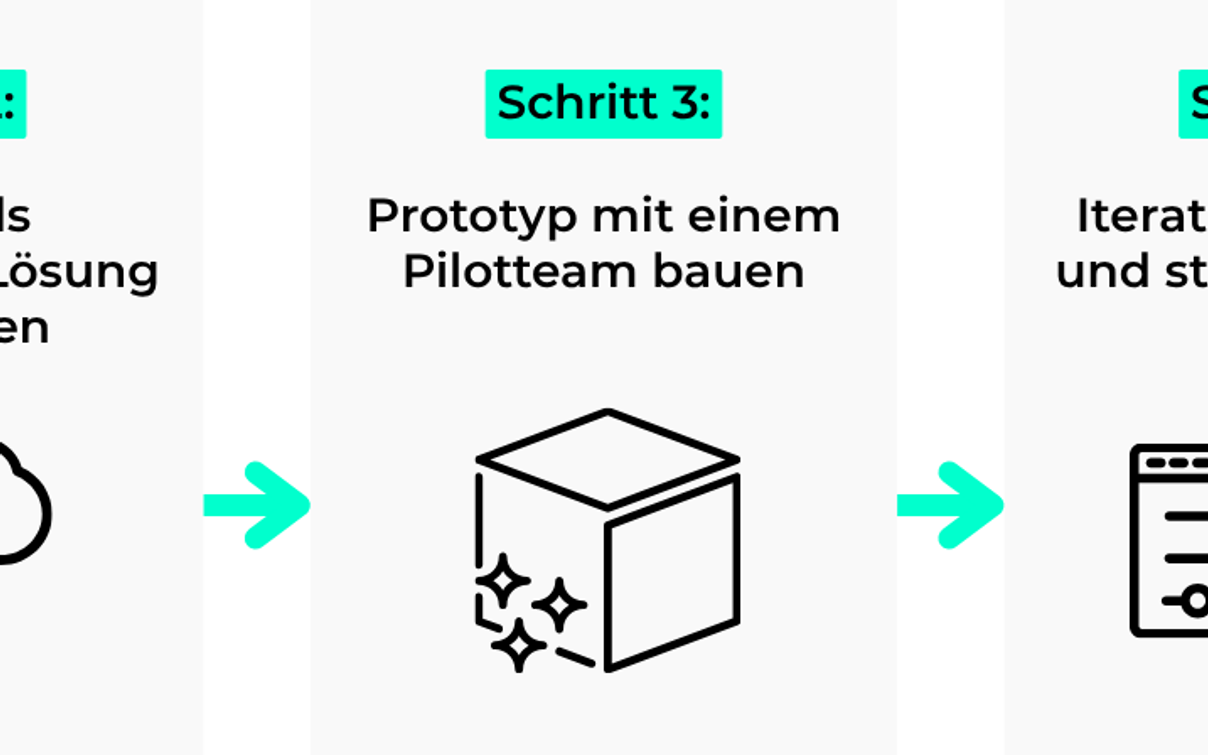
3. Build a prototype with a pilot team
Start deliberately small:
- Choose 1 to 2 teams thatactively request.
- Implement a first rule, e.g.:
- Trigger: "Sprint started" in project X, on board Y
- Action: Create a Confluence page for each issue in the sprint
- Keep the template minimal:
- Title: {{issue.key}} – {{issue.summary}}
- Sections: Description, Metadata (Status, Type, Story Points, Labels), Area for review notes
The goal isnotperfection, but rather: "It works and saves time immediately."
4. Iteratively refine and standardize
From a recent client project, we know: the real value is created in the second and third iteration.
Typical optimizations:
- Add additional fields to the payload (e.g., component, module, epic link).
- Standardize page templates (panels, macros, status indicators).
- Improve error handling (e.g., when a page already exists or permissions are missing).
- Create general templates that work across multiple projects.
With Vibe Coding, you once again formulate changes in natural language ("Please add the 'Component' field to the metadata block"); the AI helps you extend the existing automation rules accordingly.
5. Rollout & Scaling to Additional Teams
Once the use case works, the scalable part begins:
- You buildstandardized Atlassian automation templates, which you only need to parameterize per team / project.
- You document setup, variables, and troubleshooting in Confluence.
- You train team leads / admins to make small adjustments themselves (e.g., different parent page, additional labels).
This way, you can roll out a solution you've built once with a pilot team to 5, 10, or 15 teams without starting from scratch each time.
Result for our client: 480 hours per year recovered
Our client's initial situation:
On Data Center, there was a custom-built plugin that output Jira content as Confluence pages. No port to the Cloud existed, and the original developer was no longer with the company. As a result, teams after the migration started creating Sprint and Story pages againmanually. For sprints with several dozen issues, this resulted in several hours of additional work being required after each new sprint kickoff
Our solution with Vibe Coding & native tools
- The use case was built asCloud-native Automationreimagined:
- Jira Automation + Confluence Automation + Webhooks/REST (as needed), no additional Marketplace plugin.
- The business requirements were formulated in natural language and iteratively translated into Rules and Templates with the help of AI assistance (Vibe Coding approach).
The result:
- Time savingsapprox. 480 hours per year (around 60 working days), as sprint and story pages are created automatically
- Productivity Increaseup to 300% more output in documentation – teams spend their time on content instead of copy & paste
- Cost Savingsseveral thousand euros per year, depending on the hourly rates of the roles involved
- Operational Reliability100% cloud-based, no dependency on an unsupported plugin or a single person
Example calculation for 480 hours/year:
- Assumptions: 8 teams, 24 sprints/year (two-week sprints), 2.5 hours of manual effort per sprint start and team (page creation, structuring, labels/metadata, checks).
- Calculation: 8 × 24 × 2.5 h = 480 h/year.
- Note: the actual figure varies depending on issue count, templates, and review requirements.
The key point: The customer hasnot introduced a new "monster app"in the cloud, but instead deliberately extended its cloud platform using built-in features and AI.
Conclusion: Apps are merely a means to an end – Vibe Coding gets you there
If you take one thing away from this article, let it be this:Your Atlassian Cloud isn't meant to replicate your old server instance 1:1 – it's your chance to rethink your workflows with Vibe Coding.
- Legacy apps are often a symptom of missing standard functionality in on-prem setups – in the cloud, many of these features already exist as platform capabilities.
- With Rovo, Jira Automation, and Confluence Automation, you can automate most recurring taskswithout additional apps automate.
- Vibe Coding helps you build these solutionsfaster and closer to business needsto design, instead of getting bogged down in technical detail discussions.
- And:The ROI of your cloud migration largely depends on whether you actually leverage these automation opportunities.
How XALT can specifically help you
If you're facing the question of how to replace legacy apps/plugins or custom developments in the Atlassian Cloud – particularly aroundJira–Confluence integration and documentation– you don't have to reinvent the wheel.
XALT helps you:
- To analyze existing legacy solutions and rethink them in the cloud, rather than simply rebuilding them 1:1.
- Cloud-native automationsfor Jira & Confluence to design and implement – including a vibe coding approach with AI support.
- To empower your teams to continue developing these solutions on their own (enablement & training).
Let's explore together which of your data center plugins you can replace or even improve in the Atlassian Cloud. Through XALT's contact page, you can speak directly with our Atlassian expert and describe your scenario.