
Are you tired of manually creating, renaming, and moving a new page in Confluence for every meeting? Especially with weekly meetings, copying and adapting pages can quickly become a tedious routine. This recurring task costs valuable time and is often neglected, leading to disorganisation and a lack of consistency. Fortunately, there is a simple solution: automatically duplicate and manage Confluence pages – easily using Automations and Rovo.
Manually copying and adapting pages is time-consuming
If you have regular meetings in your team, you likely know the problem: creating a new page in Confluence every time, copying all content from the previous meeting, renaming the page, and moving it to the right area is time-consuming and monotonous. You actually want to focus on the content and the essentials of the meeting, not on administrative details.
The consequences
Without an efficient solution, manual tasks pile up. This not only costs time but also leads to overload and frustration, which can ultimately affect your team's productivity. In addition, the risk of errors increases, such as accidentally saving in the wrong area or forgetting to rename the page.
Step-by-step guide: Automatically duplicate and manage Confluence pages with Rovo
With Rovo AI and Confluence, you can set up a simple automation that takes this work off your hands. A single label is enough, and a copy of the desired page is created, moved to the right place, and notifications are sent automatically. Here is the step-by-step guide: automatically duplicate and manage Confluence pages.
1. Create a label as a trigger
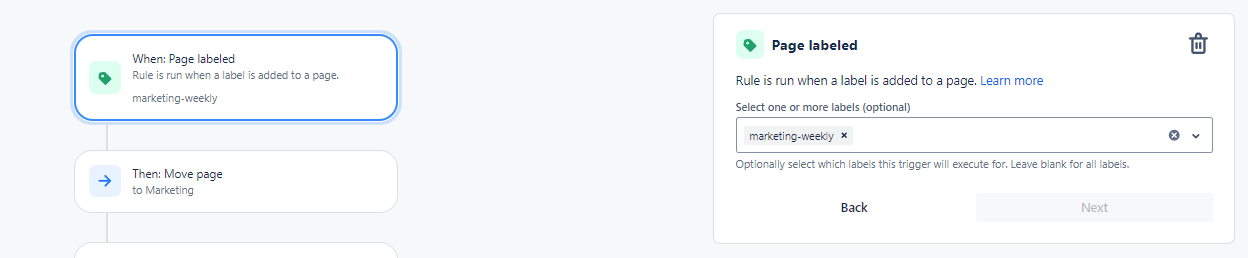
Start with a label that acts as a trigger for the automation. In our example, we use the label “marketing-weekly”. This label will later be the starting point for the automated action.
2. Automatically move and copy the page
As soon as the label “marketing-weekly” is added to a page, the automation starts. This first moves the page to a desired area – in this case “Marketing - Archive: Weekly Meeting Notes”.
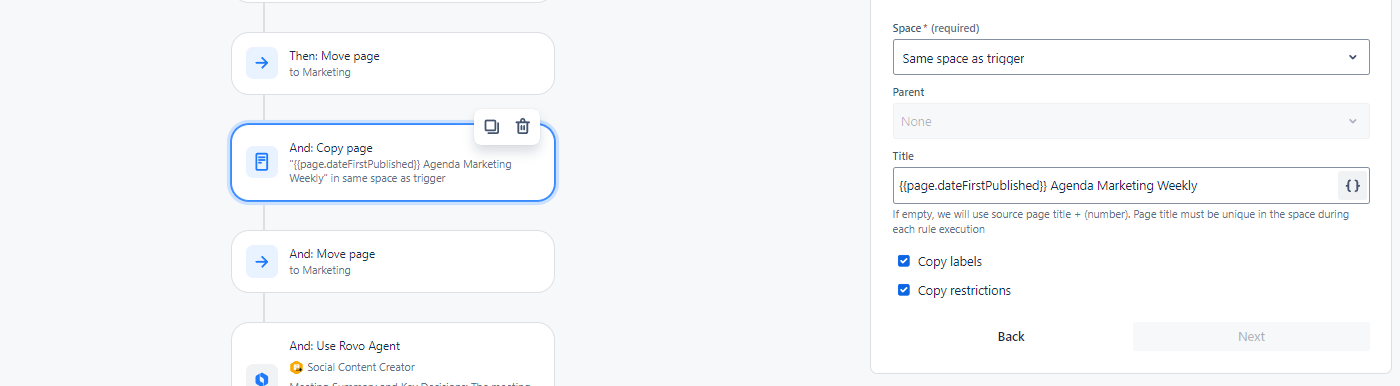
A copy of the page is then created in the same Confluence Space, and the automation automatically renames it, e.g. to “Date - Agenda Marketing Weekly”. This saves you the effort of manually copying and renaming the page.
Tip: The automations also have so-called “Smart Values”. You can find a selection of these by clicking on the two curly braces.
3. Move the page to the right area
The automation ensures that the copied page is automatically moved back to the desired area – in this case Marketing Weekly Meeting Notes. This keeps everything neatly in its place, and you don't have to worry about pages getting lost or not being found.
4. Use Rovo AI for a summary
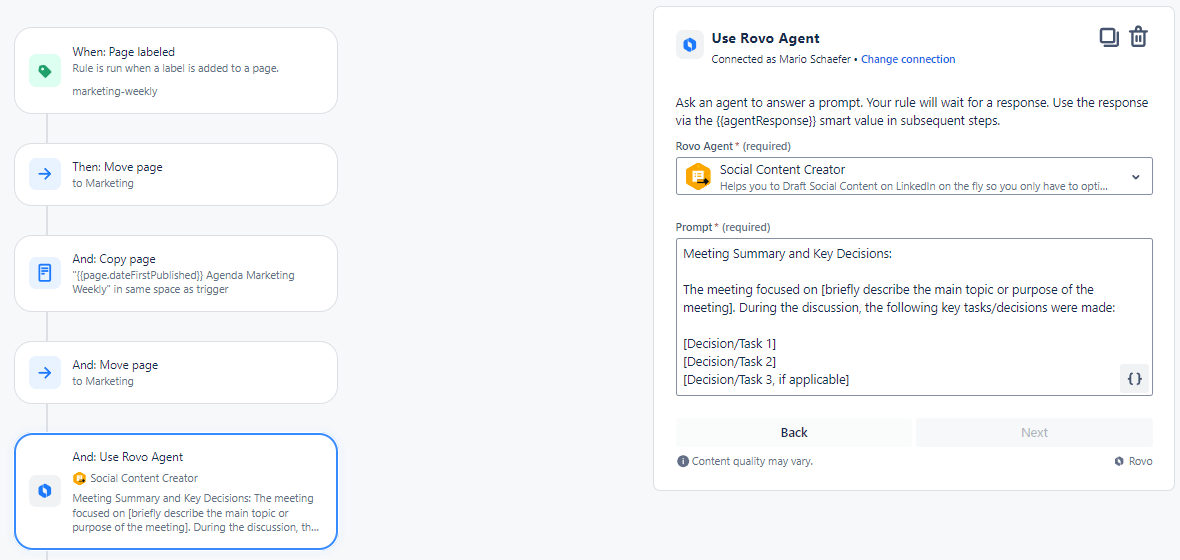
With Rovo AI, you can directly generate a summary and the key decisions of the meeting. Rovo creates a brief overview of the meeting, including the most important tasks or decisions that were discussed. This makes the page more informative and easier to navigate.
We use a simple prompt here:
Meeting Summary and Key Decisions:
The meeting focused on [briefly describe the main topic or purpose of the meeting]. During the discussion, the following key tasks/decisions were made:
[Decision/Task 1]
[Decision/Task 2]
[Decision/Task 3, if applicable]
5. Automatic notification via Slack
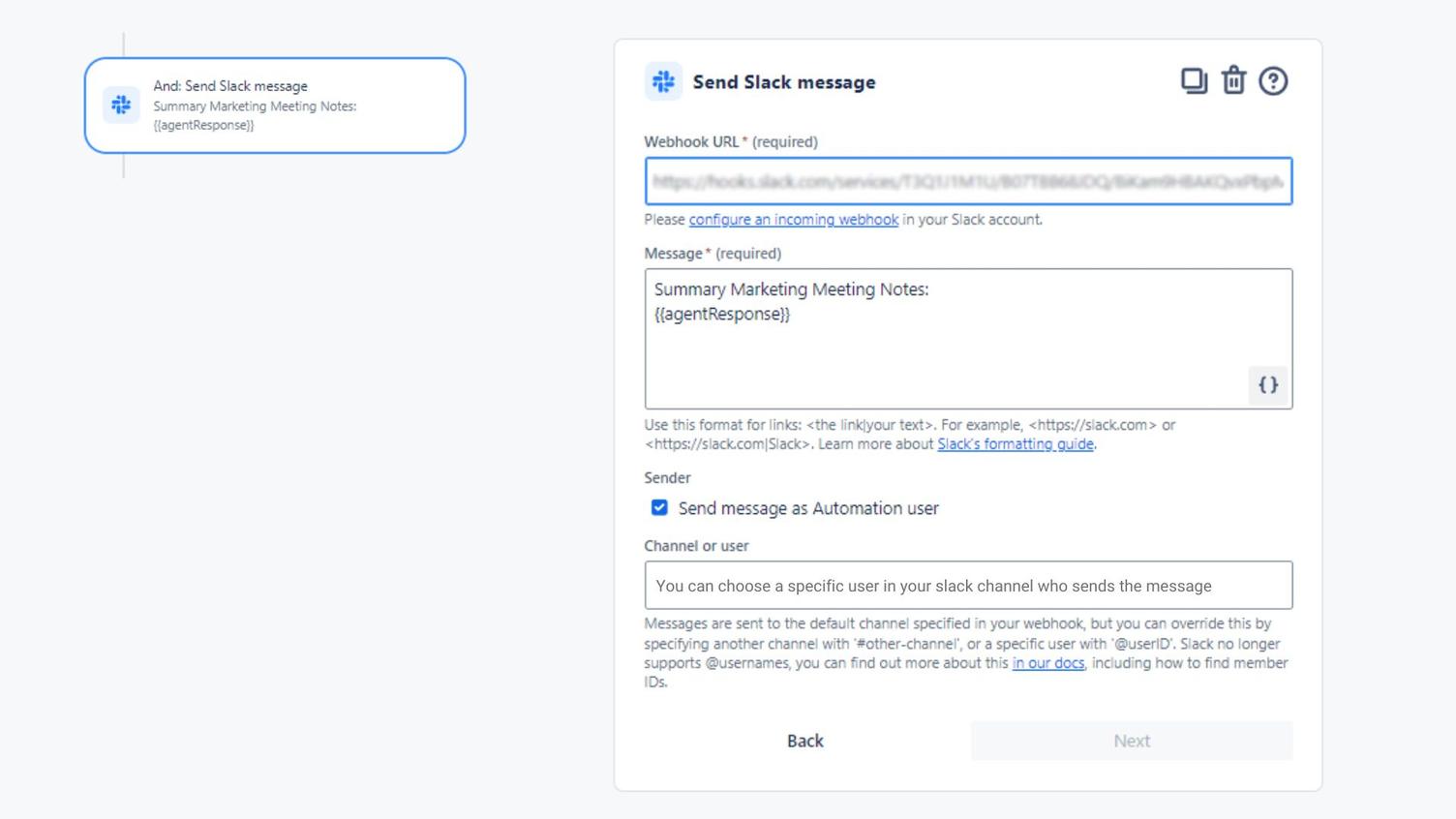
After the meeting page is created, the automation sends a notification to the team via Slack. The message contains the summary and the key decisions of the meeting, ensuring everyone is informed immediately.
6. Add a comment and remove the label
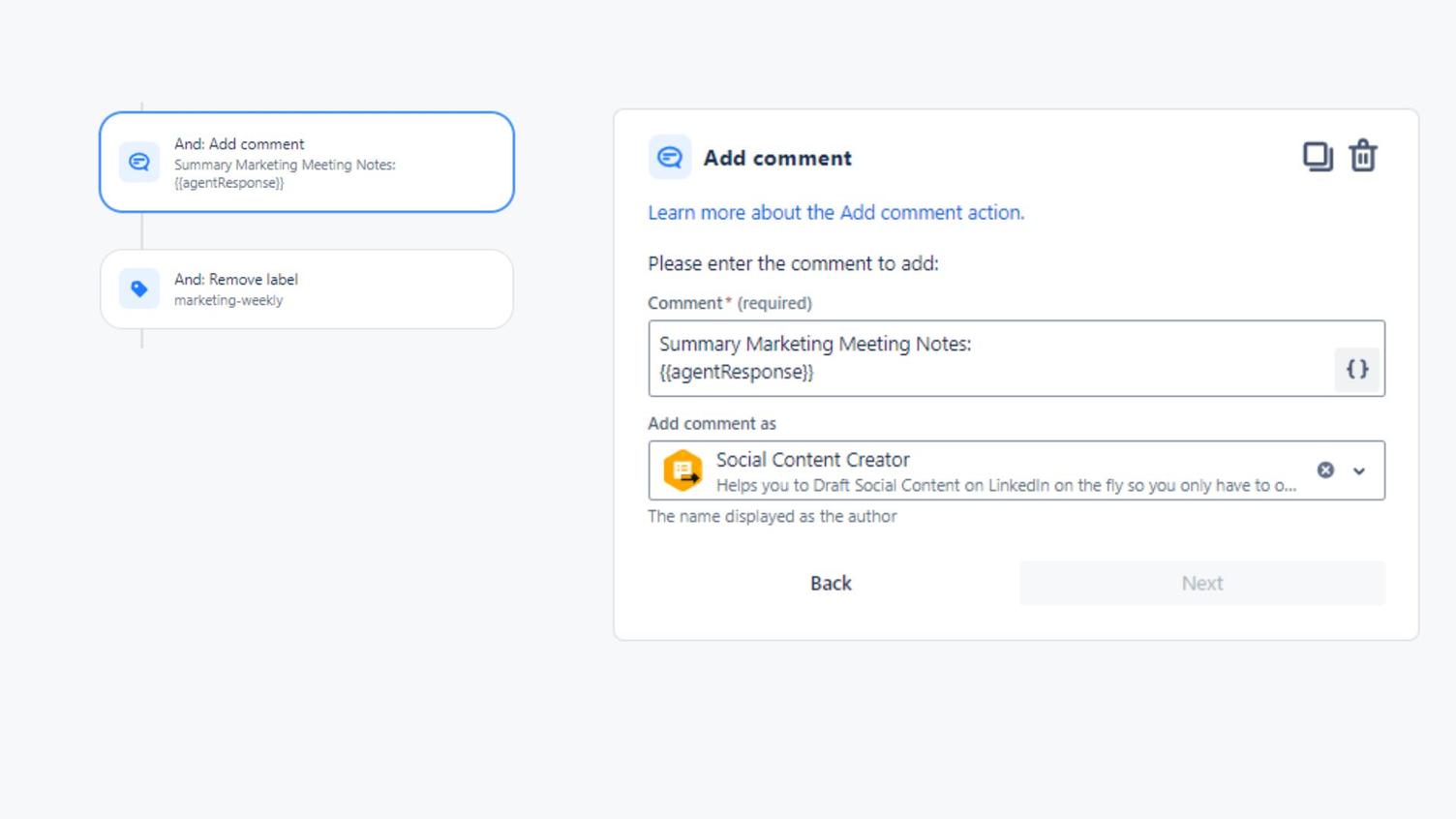
As the final step, the summary is also added as a comment on the Confluence page. In addition, the label “marketing-weekly” is automatically removed so that the automation can be used again for the following week.
Benefits of automation in Confluence
With this simple automation, you and your team save valuable time every week. Instead of being burdened with administrative tasks, you can focus on the substantive aspects of your work. Here is an overview of some benefits:
- Time savings through automation in Confluence: No more manual creation, copying, and adjusting of pages.
- Consistency and order: All pages are automatically named correctly and stored in the right area.
- Quick notification: Your team is immediately informed about the key points.
- Use of Confluence automation and Confluence Rovo: Leverage the full power of Rovo to make your workflows even more efficient.
Conclusion: Automatically duplicate and manage Confluence pages
By automating routine tasks in Confluence, such as copying and renaming meeting pages, you not only save time but also avoid errors and clutter. With Rovo AI and the built-in automation features in Confluence, you can take your organisation to a new level. Give it a try and use the time you save for what really matters!