A new job is exciting, but it can also feel like a gauntlet. New employees are often confronted with an overwhelming amount of tools, platforms, and scattered information. Whether it is about figuring out how to request leave, understanding internal processes, or simply knowing who to turn to – new team members frequently struggle to find the right information at the right time during onboarding.
The core problem? Corporate knowledge is distributed across countless platforms – Confluence, Google Drive, Slack, SharePoint and many more – making navigation difficult without comprehensive onboarding or constant support.
This is where Rovo Chat, Atlassian's AI-powered chat interface, comes into play. By integrating enterprise-wide knowledge sources using Rovo Connectors, new employees gain immediate access to the information they need. In this article, we show you how to set up these connectors and how they help new team members be productive from day one.
What is Atlassian Rovo Chat & what are Rovo Connectors?
Rovo Chat is a conversational interface within Atlassian's Rovo, designed to access and work with corporate knowledge. It integrates Atlassian tools such as Confluence and Jira, as well as third-party applications like Google Drive, Microsoft SharePoint, Slack, and Microsoft Teams. These integrations are achieved through pre-configured connectors, enabling seamless data access and automated workflows.
Simply put: Connectors are bridges between Rovo and the platforms where your company stores important information. Once the connection is established, Rovo can search, understand, and centrally provide content from all connected tools. New employees no longer need to laboriously search for documentation in Confluence, switch back and forth between Google Drive and Slack, or ask colleagues for information – they simply ask their question in Rovo Chat and receive the appropriate answer immediately – regardless of where the data is stored.
Especially in the context of onboarding, Rovo and its connectors unleash their full potential: New team members gain fast and consistent access to everything they need to get started – without lengthy training or tedious research.
How to integrate third-party products with Rovo
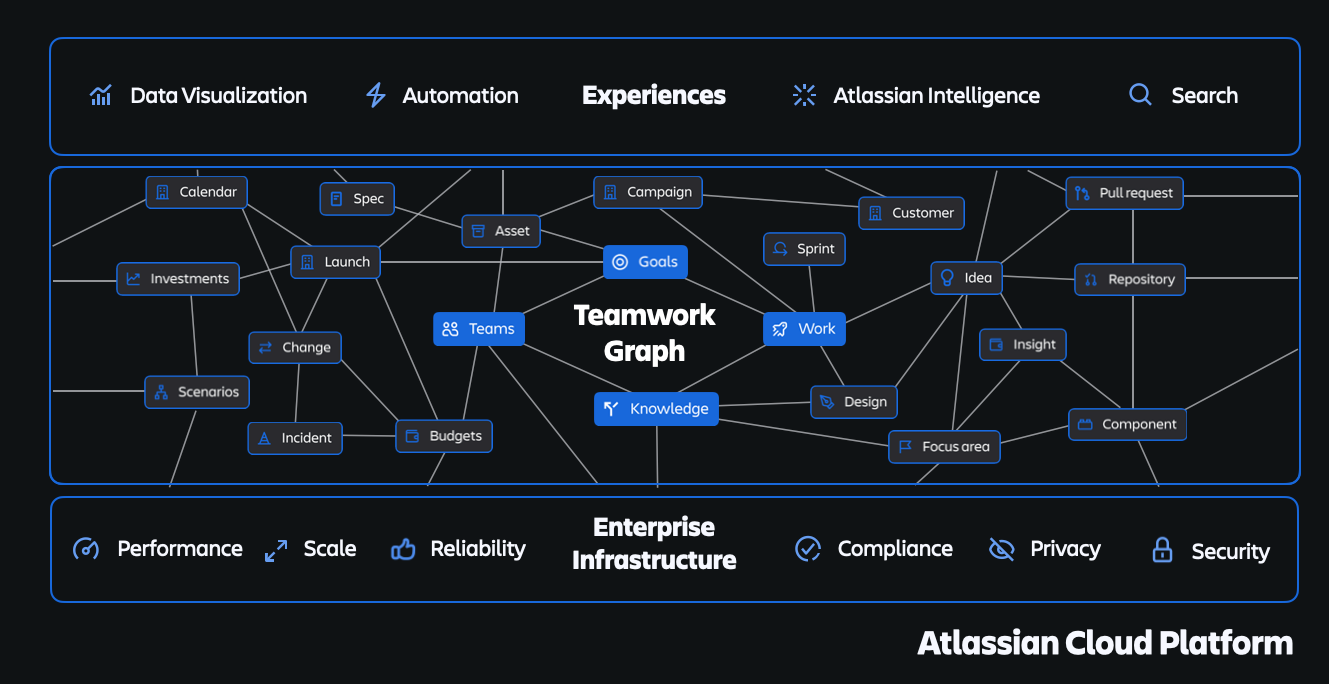
Below, we explain how to connect third-party tools with Rovo – and why these integrations are particularly helpful for new employees to avoid getting lost in the complexity of a new job. Rovo's unified search, supported by Atlassian's Teamwork Graph, provides a holistic view of knowledge, goals, and employees within the company. It draws information from Confluence (documentation), Google Drive (files), as well as communication platforms like Slack and Microsoft Teams (real-time updates). This is particularly useful for accessing company-specific content such as HR policies, team priorities, or key contacts – without lengthy training.
Step-by-step guide: How to add Rovo Connectors
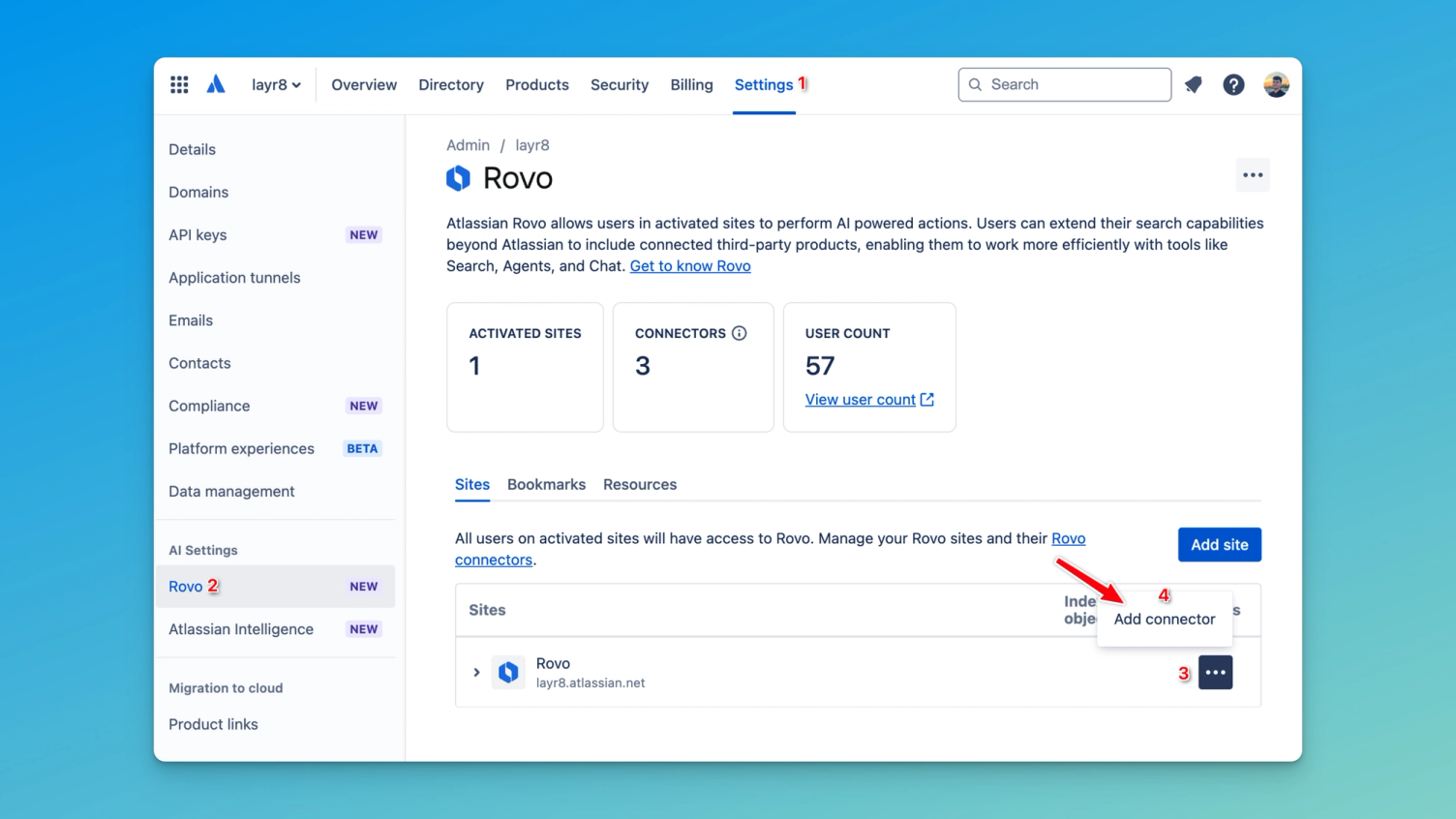
Adding Rovo Connectors is a straightforward process for admins to integrate third-party data into Rovo's Search, Chat, and Agents features:
- Ensure that Rovo is enabled.
- Navigate to Atlassian Administration.
- Select your organization and site.
- Click “Add connector” in the site settings.
- Select a supported third-party product (e.g., Google Drive or Slack).
- Follow the instructions to authorise and configure the connection. Ensure that the permissions align with your data protection policies.
Once set up, Rovo securely synchronises with the product, taking existing access rights into account. Users may need to link their Atlassian accounts to see personalised results.
For a detailed guide on setting up individual connectors, you can find a list of available guides here.
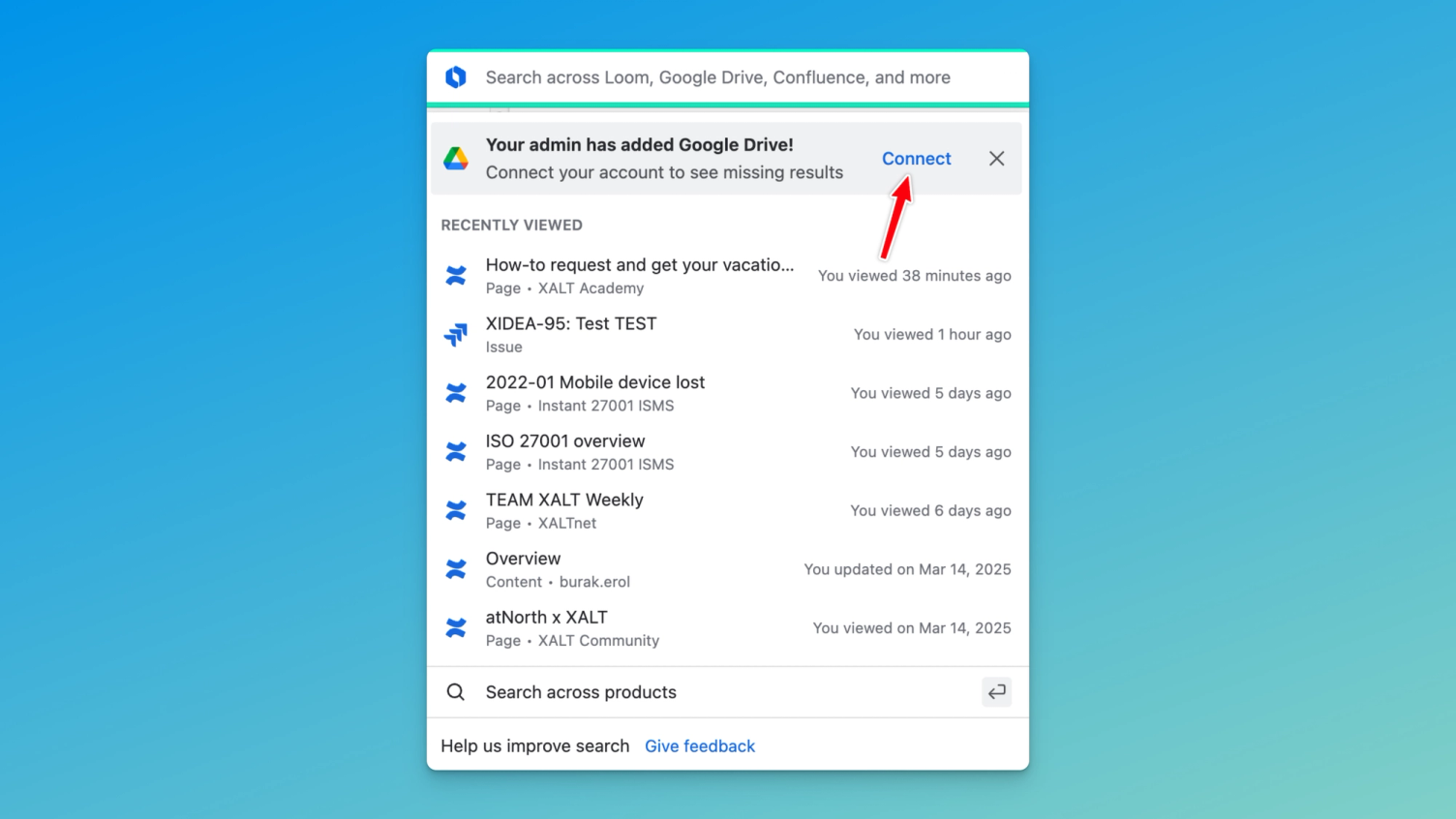
Individual users must connect their accounts to the external products to see only the data they are authorised to access – this step can be omitted if the Atlassian account is already linked. After successful configuration, Rovo displays the relevant data in Search, Chat and Agents.
Practical example: Onboarding questions from our new colleague Burak
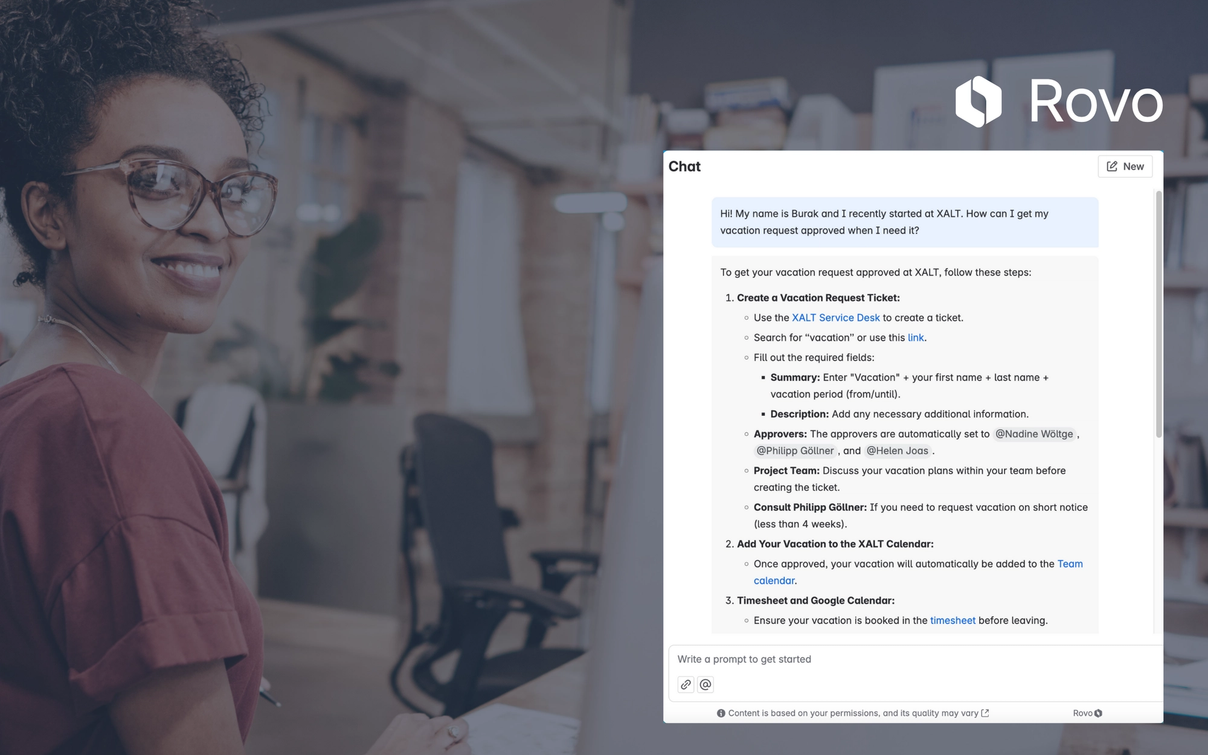
Below, we show a practical example of how Rovo simplifies the onboarding process. Our new colleague Burak, an Atlassian Consultant at XALT, used Rovo to find answers to his questions:
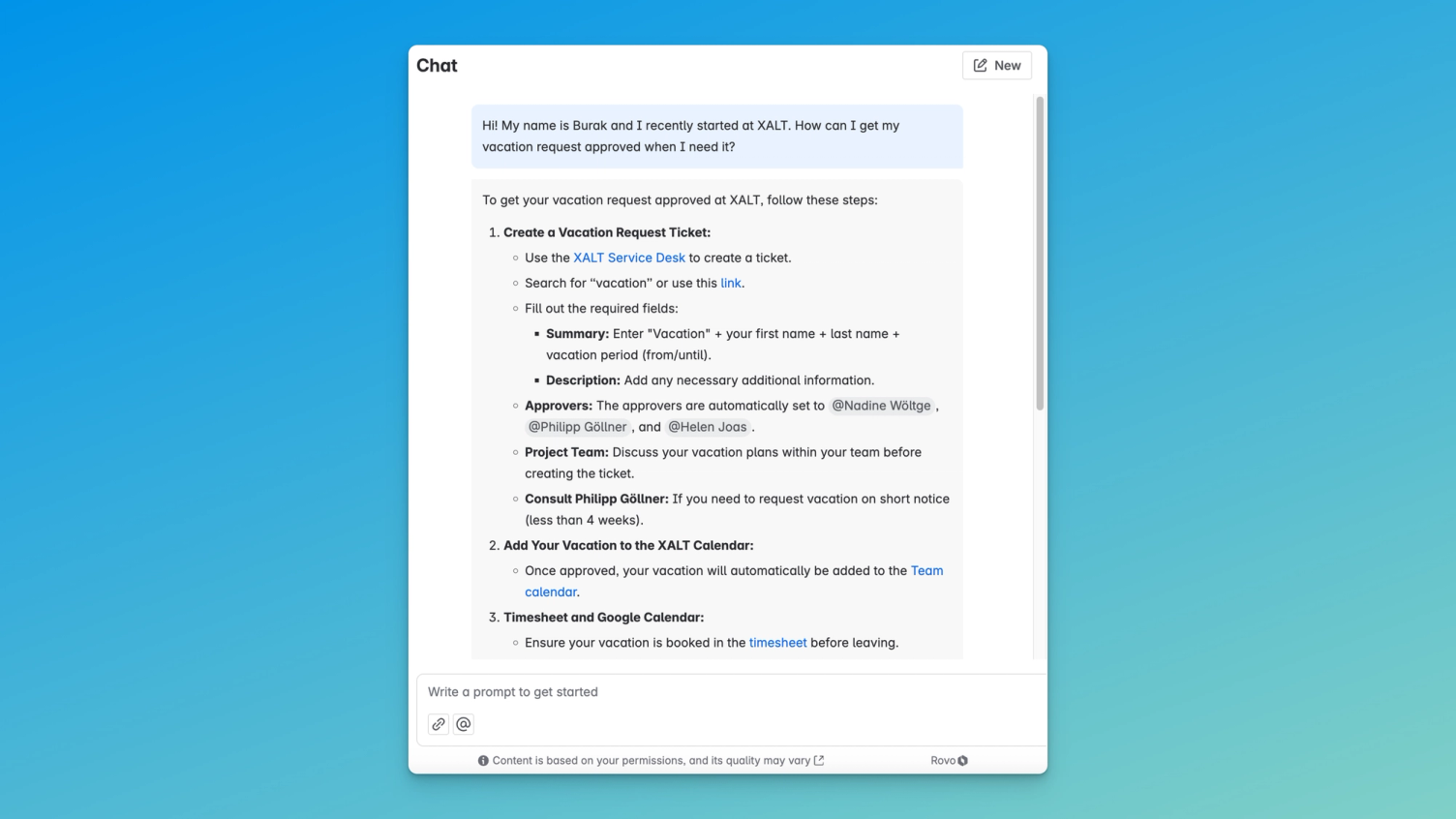
1. Use case: Leave request
Burak wanted to know how to request his leave – Rovo immediately had the right answer ready and listed the key steps from the HR Confluence page directly in the chat, including links.
2. Use case: Time tracking
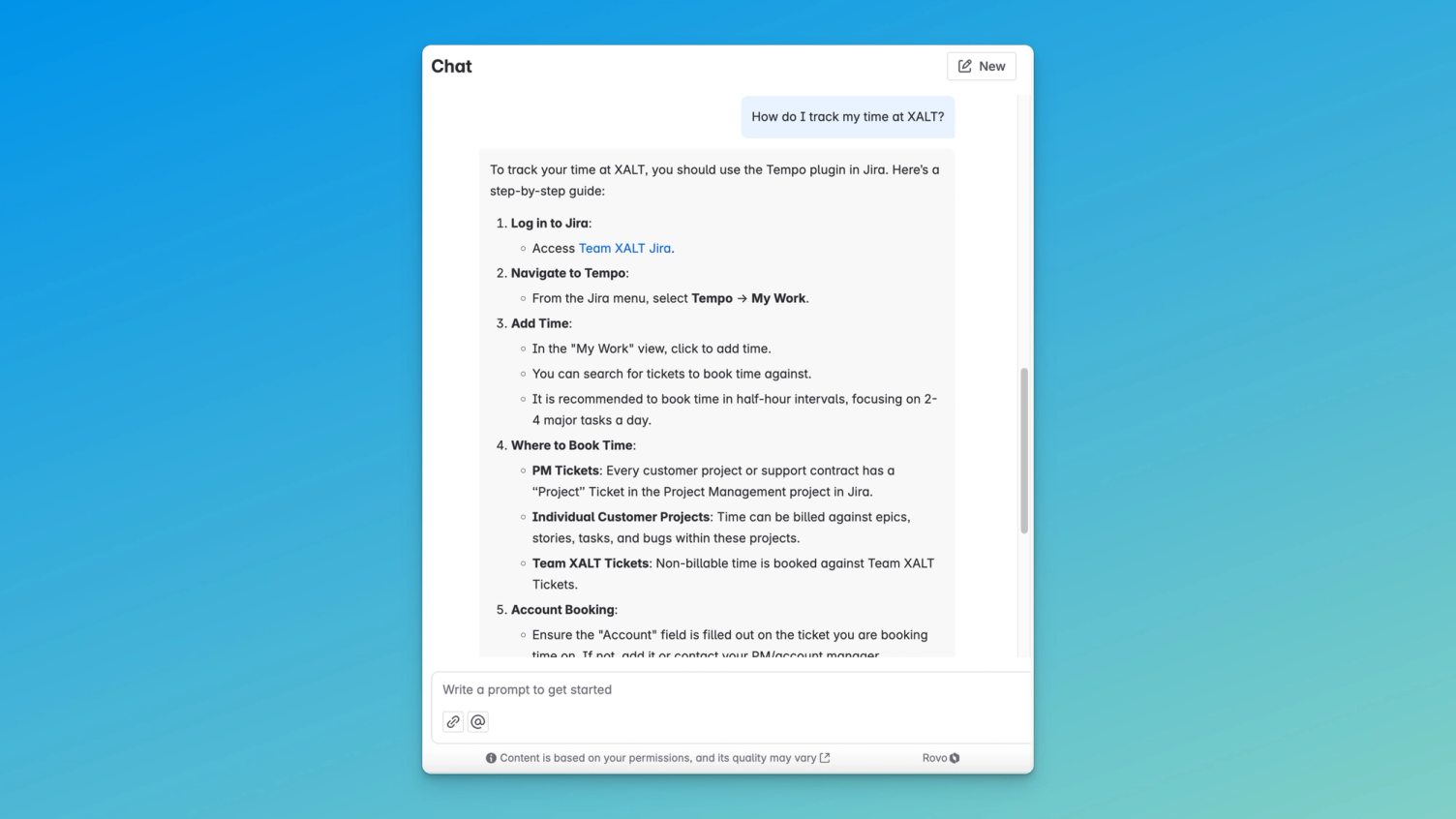
Next, Burak asked how he could record his working hours at XALT – here too, Rovo had the solution ready in no time.
3. Use case: Information on projects and solutions
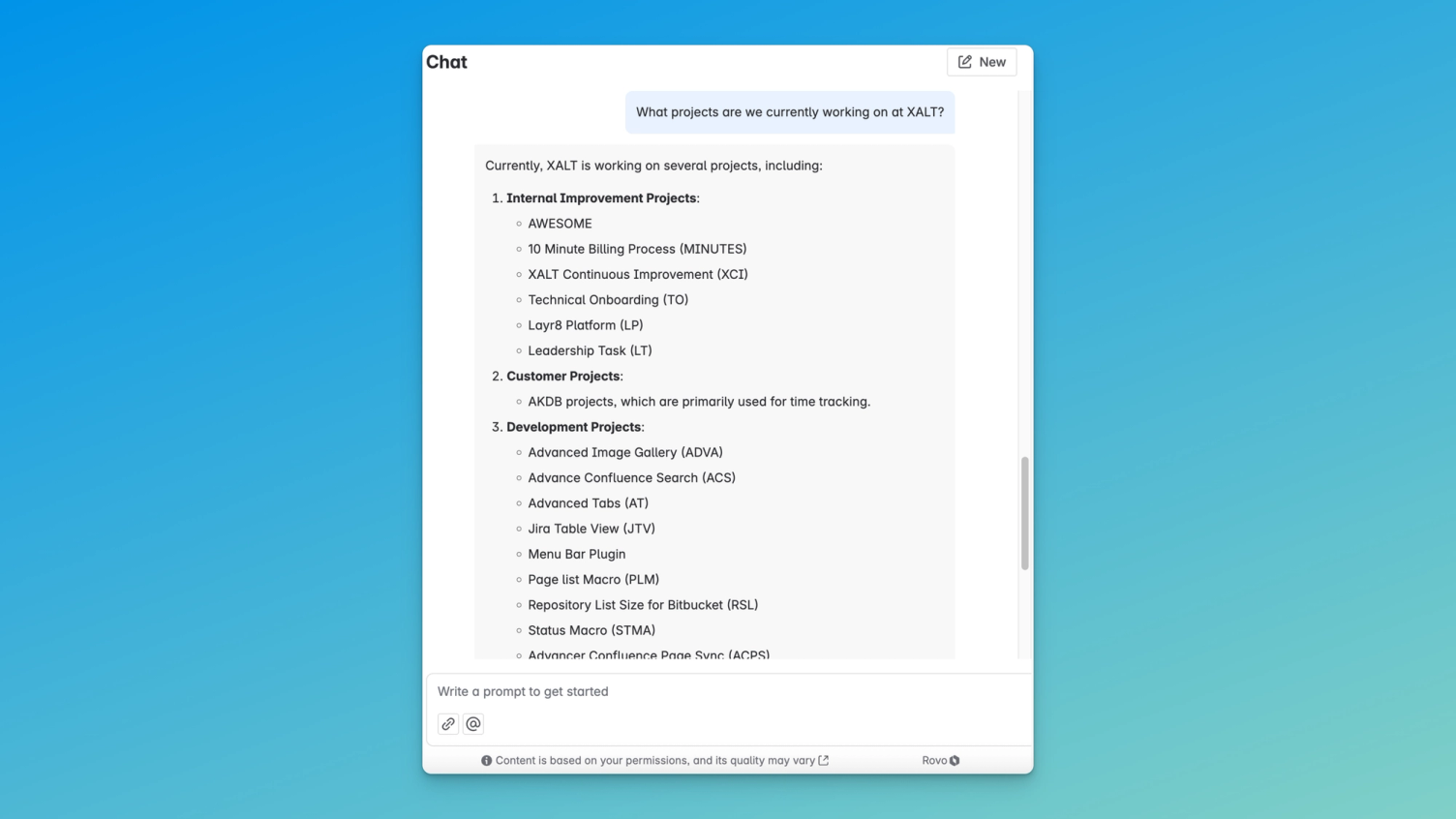
Curious about current projects at XALT, Burak asked Rovo what the teams were currently working on. Rovo searched all Confluence spaces and other platforms and presented a summary of the projects.
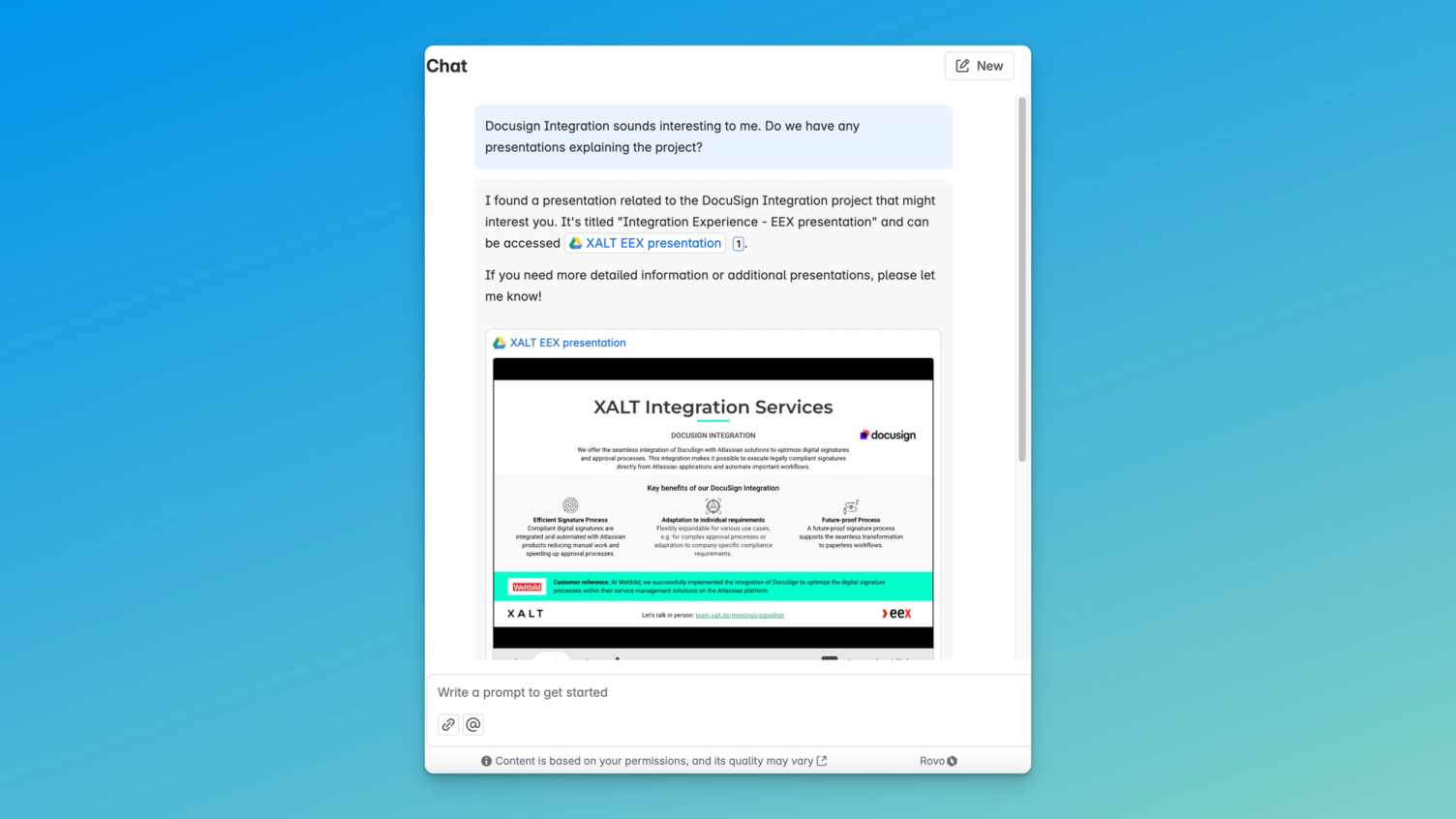
He was particularly interested in our DocuSign integration, which he could learn about directly via Rovo. Existing documents from Google Drive are displayed and linked directly in the chat.
4. Use case: Finding the right contact
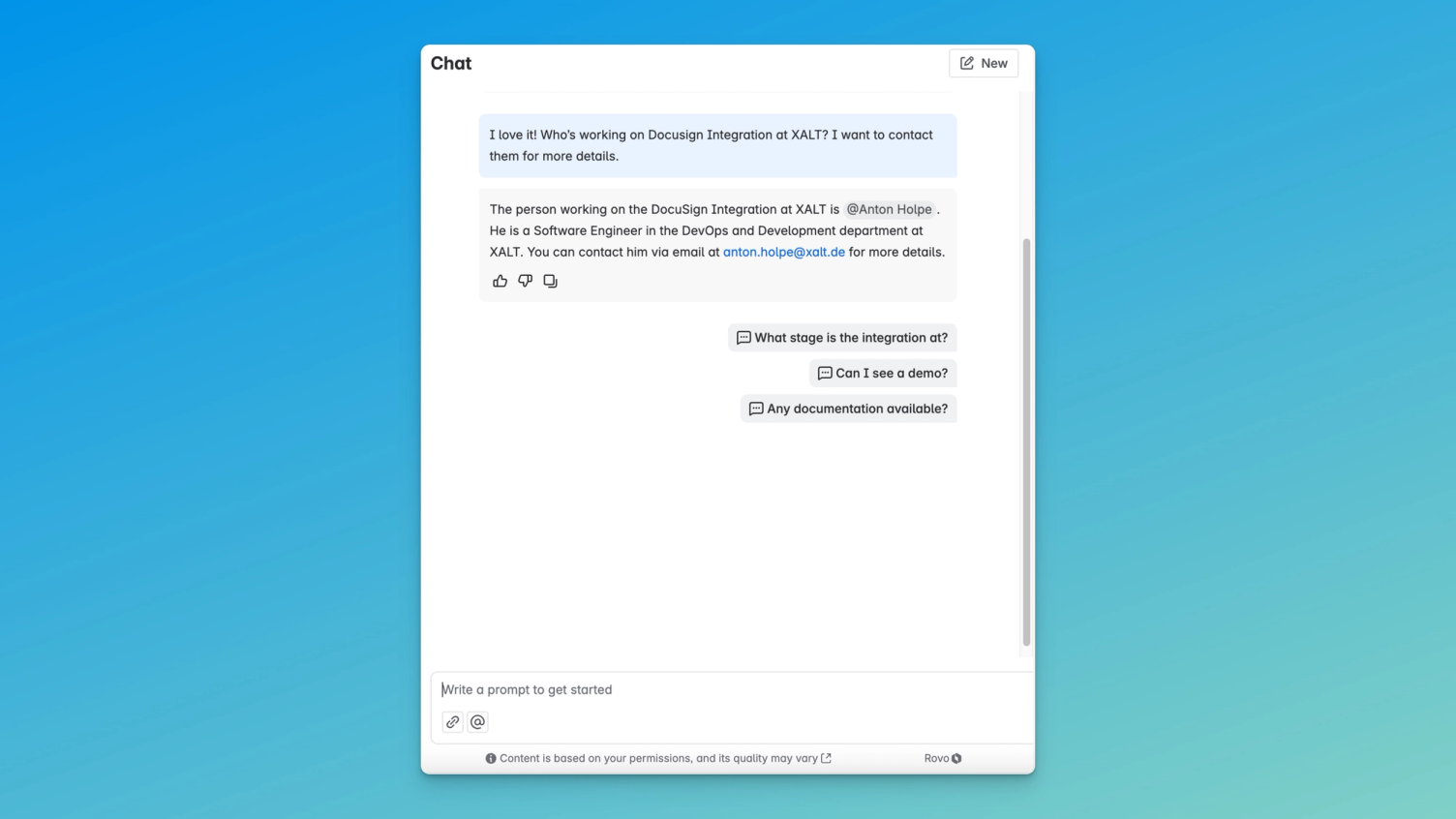
New employees often face a wall of names and faces. Burak asked Rovo who was behind the DocuSign integration at XALT – and was able to establish contact directly.
Conclusion: Onboarding made easy with the AI-powered Rovo Chat
At XALT, we know: starting a new job can be overwhelming. But with Rovo Chat, Burak's onboarding ran smoothly. From leave requests to time tracking to connecting with the right contacts – Rovo provided all the answers, directly through the tools we use every day.
For organisation admins, extending Rovo is a breeze: simply go to Settings > Rovo and add more integrations. With Rovo Chat, Burak not only found the necessary documentation – he was ready to hit the ground running and create value from day one.
Want to know what else Rovo can do? In this video you'll find an overview of the current capabilities of Atlassian's AI-powered chat agent.